Kioxia Exceria Pro G2 2TB: A Reliability-First PCIe 5.0 Drive That Prioritizes Longevity
The Kioxia Exceria Pro G2 delivers solid PCIe 5.0 performance with a design philosophy centered on dependability rather than peak speed, making it an appealing choice for users who value sustained reliability over raw benchmarks.
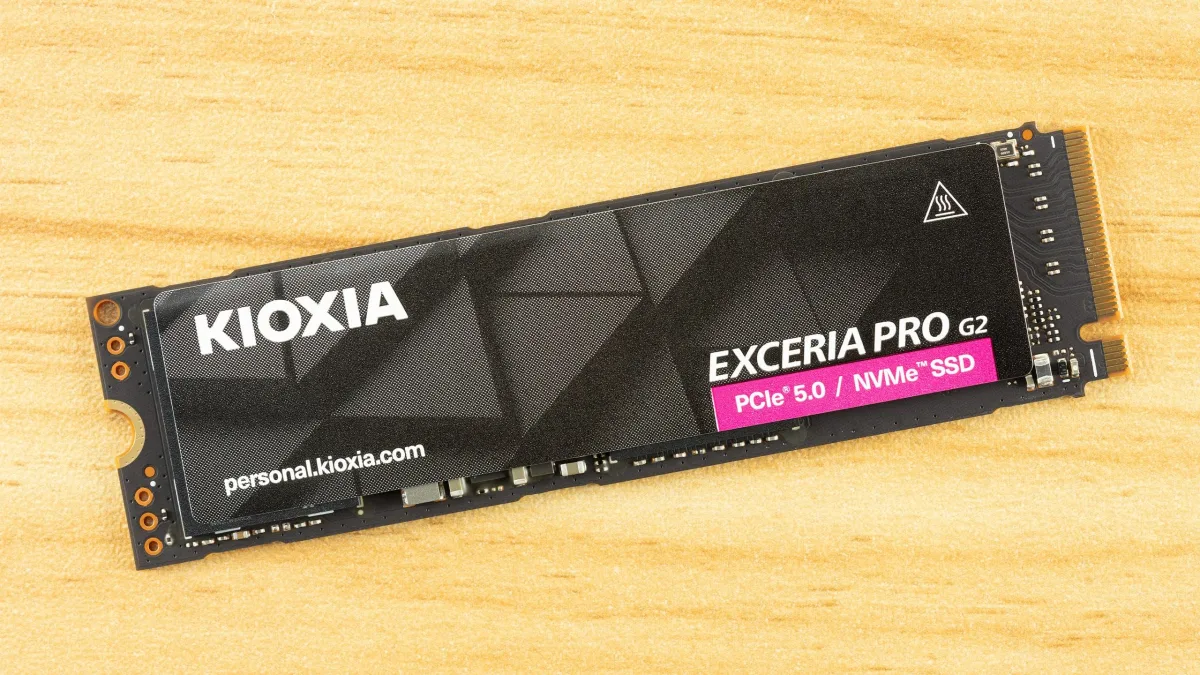
Comparison Products
As a premium-tier drive, the Exceria Pro G2 competes directly against some of the fastest storage devices available. The field includes the Corsair MP700 Pro XT and WD Black SN8100, both among the quickest drives tested to date. The Kingston Fury Renegade G5 shares identical hardware with the Kioxia offering. The Crucial T710 employs the same SM2508 controller but pairs it with Micron-manufactured flash instead of BiCS. Older-generation high-end PCIe 5.0 designs are represented by the T705. Additional competitors include Samsung's proprietary 9100 Pro, the budget-conscious Lexar NM1090 Pro featuring older flash technology, and TeamGroup's InnoGrit-based GE Pro. DRAM-less drives like the Biwin Black Opal X570 were excluded from testing as they operate in a different performance category.
Trace Testing — 3DMark Storage Benchmark
3DMark's Storage Benchmark targets gaming workloads, evaluating real-world performance through activities such as game loading, progress saving, file installation, and video recording. Future iterations will incorporate DirectStorage support, with forward-compatibility assessment included where relevant.
The Exceria Pro G2, as a premium PCIe 5.0 SSD, demonstrates the expected gaming performance profile. Combining high bandwidth with current-generation hardware yields strong results. Testing confirms the drive performs as anticipated, landing alongside the Fury Renegade G5—unsurprising given their shared architecture. The WD Black SN8100, which also uses identical hardware, ties at the top with the Phison-controlled MP700 Pro XT. As documented in the Black SN8100 review, WD and SanDisk implemented firmware optimizations that deliver this performance level, which Phison subsequently matched. However, multiple SM2508-controlled drives in testing reveal interesting controller-side variations.
Examining the T710 provides instructive comparison: it uses the same SM2508 controller but pairs it with Micron rather than SanDisk or Kioxia BiCS TLC flash. Performance remains respectable but noticeably lags in 3DMark results. The BiCS8 flash found on all top-performing drives here exhibits exceptionally low latency, translating to strong benchmark results across multiple tests. Latency represents a primary concern for enthusiasts seeking Optane-like responsiveness. Consumer NAND flash, however, lacks this ultra-low latency design philosophy. Additional bottlenecks typically emerge elsewhere, limiting real-world value from latency improvements. Games load faster, though frame rates remain unaffected. The Exceria Pro G2 maintains strong performance even under demanding conditions, such as when storage capacity approaches full.
Trace Testing — PCMark 10 Storage Benchmark
PCMark 10 represents an industry-standard trace-based benchmark employing real-world application traces and everyday task sequences to assess storage device performance. Results prove particularly valuable for evaluating drives intended as primary or boot storage and for professional environments.
In PCMark 10 testing, the Exceria Pro G2 positions itself slightly above the Fury Renegade G5—a commendable result considering their shared hardware—though trailing the MP700 Pro XT and Black SN8100. Overall performance remains excellent, particularly for a drive with competitive regional pricing. These scores substantially exceed previous-generation drives, with the Exceria Pro G2 scoring approximately 75% higher than the Crucial P5 Plus. This improvement aligns partly with PCIe 5.0's doubled bandwidth compared to earlier standards, though the drive also demonstrates significant latency enhancements.
Console Testing — PlayStation 5 Transfers
PlayStation 5 systems accept one additional PCIe 4.0 or faster SSD for expanded game storage. While any 4.0 drive functions technically, Sony recommends drives delivering minimum 5,500 MB/s sequential read bandwidth for optimal operation. Extensive testing indicates PCIe 5.0 SSDs provide minimal benefit in PS5 environments and generally warrant avoidance, particularly given potential cooling requirements. Consult the Best PS5 SSDs article for comprehensive guidance.
Testing methodology employs the PS5's internal storage assessment and manual read/write operations using over 192GB of data transferred both to and from internal storage. Throttling prevention ensures observation of ideal-condition drive operation. Game load times typically show minimal variance across drives, though results indicate which drives maintain responsiveness during extended use.
PCIe 5.0 drives represent overkill for PS5 deployment, yet testing confirms proper operation without anomalies. The Exceria Pro G2 performs within 1% of the fastest drive in the PS5's internal read test, raising no concerns. Depending on pricing, PCIe 5.0 drives can prove advantageous in consoles, operating at reduced link speeds with improved efficiency and lower thermal output. Newer drives incorporate advanced technology and hardware, delivering enhanced operation even in older host systems.
Generally, less expensive drives suit PS5 use, though the Exceria Pro G2 remains acceptable. Kioxia validated the drive against Sony's specifications through dedicated PS5 testing, relevant for users prioritizing thoroughly-tested components. This drive also makes sense if purchased ahead of future system builds, whether capturing sales opportunities or hedging against future price increases.
Transfer Rates — DiskBench
DiskBench testing employs a custom 50GB dataset, writing 31,227 files of varied types including photographs, PDFs, and video content to the test drive. A copy operation follows, transferring the dataset to a new folder, concluding with a read test of a newly created 6.5GB zip file. This workload mirrors real-world usage patterns fitting within most drives' cache capacity.
DiskBench reveals the Exceria Pro G2's first notable limitation, warranting discussion given this hardware's capabilities. Read performance proves adequate—surpassing the MP700 Pro XT, matching the 9100 Pro, and approaching the Fury Renegade G5—but write performance disappoints. Reduced copy performance falls below even the 9100 Pro. This appears intentional, representing a deliberate trade-off. Conservative write approaches reduce wear and minimize thermal output. For a retail drive with OEM and client-focused origins, this strategy makes practical sense. Users naturally prefer faster writes, yet most would prioritize reliability over burst write capability when forced to choose.
The Exceria Pro G2 unsuitable for users demanding maximum performance, yet remains exceptionally fast. Perspective emerges from examining complete benchmark results, requiring consideration of write performance in saturation testing alongside thermal characteristics. The drive still outperforms the GE Pro and NM1090 Pro in copy performance. Copy performance receives primary weighting in DiskBench evaluation as a mixed workload metric. These two alternatives represent budget-leaning high-end options potentially overlapping the Exceria Pro G2's price range, simplifying comparative purchasing decisions.
Synthetic Testing — ATTO / CrystalDiskMark
ATTO testing reveals performance across varying block sizes. Logarithmic graphing often clarifies results better than standard linear presentation. On standard graphs, the Exceria Pro G2 appears acceptable until flattening at 512KiB and declining at 1MiB, while logarithmic representation exposes lagging performance at small I/O with minimized gaps at larger block sizes. Small I/O lag proves unsurprising, as drives with identical hardware like the Black SN8100 demonstrate identical patterns. Both that drive and the Fury Renegade G5 show minor irregularities at larger block sizes, whereas the MP700 Pro XT maintains consistency. Similarly, the T710 displays strong consistency. This indicates the SMI controller and BiCS8 flash pairing exhibits less consistency with larger I/O sizes, though this observation applies only to queue depth 1 testing.
CrystalDiskMark sequential results confirm the Exceria Pro G2 demonstrates modest QD1 read performance at 1MB. This represents realistic workload conditions, as file transfers of this magnitude typically occur at QD1. The MP700 Pro XT, employing identical flash with Phison's controller, leads all competitors, with only the 9100 Pro approaching its performance. It extracts greater throughput from the flash and reduces overhead—simply more effective at bandwidth extraction even at low queue depths. This partly reflects firmware optimization rather than hardware limitation, suggesting the Exceria Pro G2 lacks physical deficiency. Instead, optimization likely prioritizes slower yet dependable operation, potentially reducing wear. Reads don't directly damage flash, yet lower heat output accompanies this optimization approach. While flash theoretically prefers heat, this applies exclusively to write operations. Read operations benefit from lower temperatures.
High QD random read performance represents the sole area where the drive clearly trails its Fury Renegade G5 counterpart. Firmware appears to reserve capability rather than representing strict hardware constraints. The Exceria Pro G2 retains excellent BiCS latency, achieving under 35µs for 4KB QD1 random reads—exceptional performance even among PCIe 5.0 drives. Though trailing WD and Phison capabilities, this remains exceptionally rapid. Application and game load times feel responsive, with noticeable improvement over previous-generation drives. This represents a worthwhile trade-off, as low QD random reads dominate typical usage patterns.
Sustained Write Performance and Cache Recovery
Official write specifications capture only partial performance reality. Most SSDs implement write caches—fast pseudo-SLC (single-bit) programmed flash regions absorbing incoming data. Sustained write speeds deteriorate significantly once workloads exceed cache capacity and spill into native TLC (three-bit) or QLC (four-bit) flash. Performance degrades further when drives execute folding operations, migrating cached data to free space for additional incoming information.
Iometer testing hammers the SSD with sequential writes for 15 minutes, measuring both write cache dimensions and post-saturation performance. Multiple idle rounds monitor cache recovery, revealing performance across various drive states including steady-state write operation.
The Exceria Pro G2 achieves over 12.6 GB/s in peak state, sustaining writes for over 31 seconds with approximately 400 GB cache capacity. On a 2TB TLC-based drive, this represents moderate cache sizing—not maximal but substantially larger than previous-generation standards. Cache dimensions fall below the Black SN8100 and Fury Renegade G5 but align with the T710. It exceeds the MP700 Pro XT's cache, unsurprisingly the fastest steady-state performer on the list. Cache exhaustion triggers descent to approximately 2.0 GB/s, entering mixed state where TLC writing occurs simultaneously with cache-to-TLC data migration. This state persists roughly 13 minutes before recovery to steady 2.96 GB/s for the remainder. While slower than comparable class drives like the Black SN8100 and T710, context matters. It nearly doubles the Fury Renegade G5's 15-minute performance despite shared hardware, substantially exceeding the 9100 Pro. This positions the Exceria Pro G2 mid-pack but decidedly not sluggish.
These observations aren't excuses but rather emphasize that drive designs diverge significantly. Substantial reasons justify this behavior. Large pSLC caches, as some competitors employ, carry downsides. They don't always represent optimal wear-perspective design and can increase vulnerability in specific edge cases. Drives might run faster longer, but only under unrealistic workloads potentially inducing unnecessary wear.
The Exceria Pro G2 prioritizes performance while maintaining operation in potentially hostile environments. Reliability demands trade-offs. From purchaser perspective, this drive—when compared against the Black SN8100—remains worthwhile if deployed in always-on Linux systems requiring responsiveness without constant maximum speed. Similarly, increasingly common always-on laptops running development or AI routines where WD Dashboard or Game Mode support proves irrelevant. Simply acknowledge power considerations covered subsequently.
Power Consumption and Temperature
The Quarch HD Programmable Power Module enables detailed power characteristic analysis. Idle power consumption matters significantly, particularly for laptop upgrades where even premium ultrabooks often feature mediocre storage in capacity and performance terms. Desktops typically emphasize performance with minimal power-saving support, so worst-case idle measurements apply.
SSDs display wide idle power variation, from watts-level consumption to milliwatt sipping. Average workload power consumption and maximum consumption represent additional considerations, though performance-per-watt efficiency proves more significant. A drive consuming greater power during workloads but completing tasks faster reaches idle states sooner, ultimately conserving energy.
Temperature recording polls the drive's primary composite sensor during testing with approximately 22°C ambient conditions. Testing rigor heats drives to realistic ceiling temperatures, though real-world temperatures vary based on environmental and workload factors.
The specification sheet raises an intriguing question: why does the 1TB Exceria Pro G2 carry higher active power ratings than 2TB and 4TB variants? DiskBench power testing remains within pSLC cache at all capacities, avoiding slower modes, making duty cycle the probable explanation. The SM2508 controller features eight flash channels, and with sixteen dies at 2TB capacity, it alternates between dies on each channel, allowing rest periods. Eight dies at 1TB receive no such breaks yet still achieve most peak performance, requiring each to work harder. This shouldn't suggest the 1TB runs hotter, particularly since it exhausts pSLC cache faster, engaging slower lower-power TLC mode. It represents a peculiarity of combining extreme speed with dense flash.
Power efficiency testing measures work per watt but tells incomplete stories. For this metric, the Exceria Pro G2 averages among all drives and underperforms class expectations—observe the Kingston Fury Renegade G5 with identical hardware. The drive maintained impressively cool operation—52C maximum, exceeding 30C below the drive's 83C warning threshold. Two factors explain this. First, the Exceria Pro G2 incorporates a heat-spreading label, surprisingly effective. Second, the drive delivers less bandwidth in DiskBench testing while avoiding elevated average power consumption. This suggests Kioxia designed this drive for OEM deployment, where thermal constraints tighten. Kioxia's materials list applications simply as "client desktop and laptop," supporting this assessment. Trading modest performance for reliability—assuming high-end drive operation at elevated temperatures proves suboptimal—represents reasonable engineering. A secret third factor: temperature logging derives from Iometer-based write saturation runs using sequential larger 1MiB block sizes. Historically, mixed workloads, especially with smaller random I/O, push drives several degrees hotter.
Elevated idle power consumption supports the OEM-focused conclusion. Testing employs worst-case conditions—enthusiast desktops without power saving. OEM systems and especially laptops more likely feature these capabilities. This explains part of the picture. The other side involves advertised power states. Non-operational states show enter and exit latencies consistent with drives preferring ready states, somewhat resembling WD's Game Mode. Speculation suggests OEM machine tuning. Workstation-oriented drive results like Kioxia's own XG10, a client OEM model, might clarify this. Suspicion suggests faster wake capability desirability.
Nevertheless, the Exceria Pro G2's idle result should align more closely with the Black SN8100's. Platform-specificity remains possible—the drive might behave differently on AMD systems—or it simply proved more reluctant entering lower power states during testing.
Test Bench and Testing Notes
Testing employed an Alder Lake platform with most background applications including indexing, Windows updates, and antivirus disabled in the OS to minimize run-to-run variability. Each SSD received 50% capacity prefilling and testing as a secondary device. Unless specified otherwise, active cooling applied to all SSDs.
Kioxia Exceria Pro G2 Bottom Line
This drive hits all the right marks. It delivers high-end PCIe 5.0 bandwidth, exceptional BiCS flash latency, solid power efficiency, and strong all-around performance including respectable sustained write speeds. While unavailable in the U.S. market, regional pricing elsewhere makes it highly competitive. The drive's cool operation and apparent firmware optimization toward reliability appeal particularly for laptop deployment, always-on systems, or other demanding environments. Standard NVMe low-power states appear on the specification sheet, so users wanting drives remaining accessible should find satisfaction, provided their platform enables proper power management.
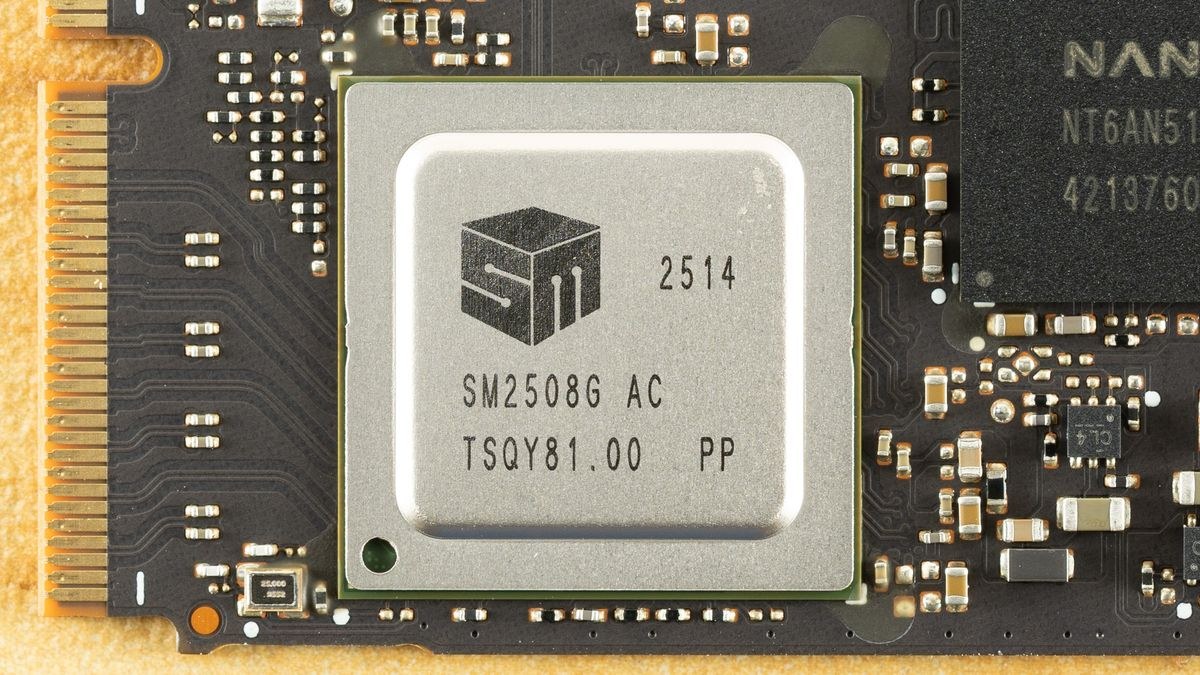
Performance gaps emerge when compared against other fastest-tier drives like the Black SN8100, which shares its hardware. These competitors simply perform faster and consistently so, matching or surpassing it across numerous tests. The Exceria Pro G2 does out-write its hardware twin, the Fury Renegade G5, in steady state, but other contenders deliver superior efficiency metrics and higher sustained write speeds. The Exceria Pro G2 sometimes appears deliberately constrained, which realistically probably holds true. This drive's design philosophy mirrors OEM or client drives, where reliability ranks as paramount concern. This positioning makes the drive a valuable market alternative. Numerous users would prefer this approach over raw performance, especially at competitive pricing. Obtaining this drive at favorable cost warrants priority consideration.
The drive merits appreciation for its differentiated approach while maintaining excellent user experience. PCIe 5.0 drives remain excessive for most applications, and SSDs currently command premium pricing. However, seeking something providing extended service life makes the Exceria Pro G2 a sensible investment. Many users will prefer the Black SN8100—it may offer better availability and outperforms the Exceria Pro G2 in certain areas—but at this performance tier, selecting poorly proves difficult. Lean toward the Kioxia if prioritizing dependable experience with a drive that simply works without ever disappointing.