Hypertune Launches Intel-Powered Auto-Overclocking Platform With Individualized System Optimization
The newly released Gaming Performance Engineering platform, developed with Intel and tested by over 60,000 early access participants, promises frame rate improvements up to 60% through automated tuning tailored to each system rather than generic profiles.
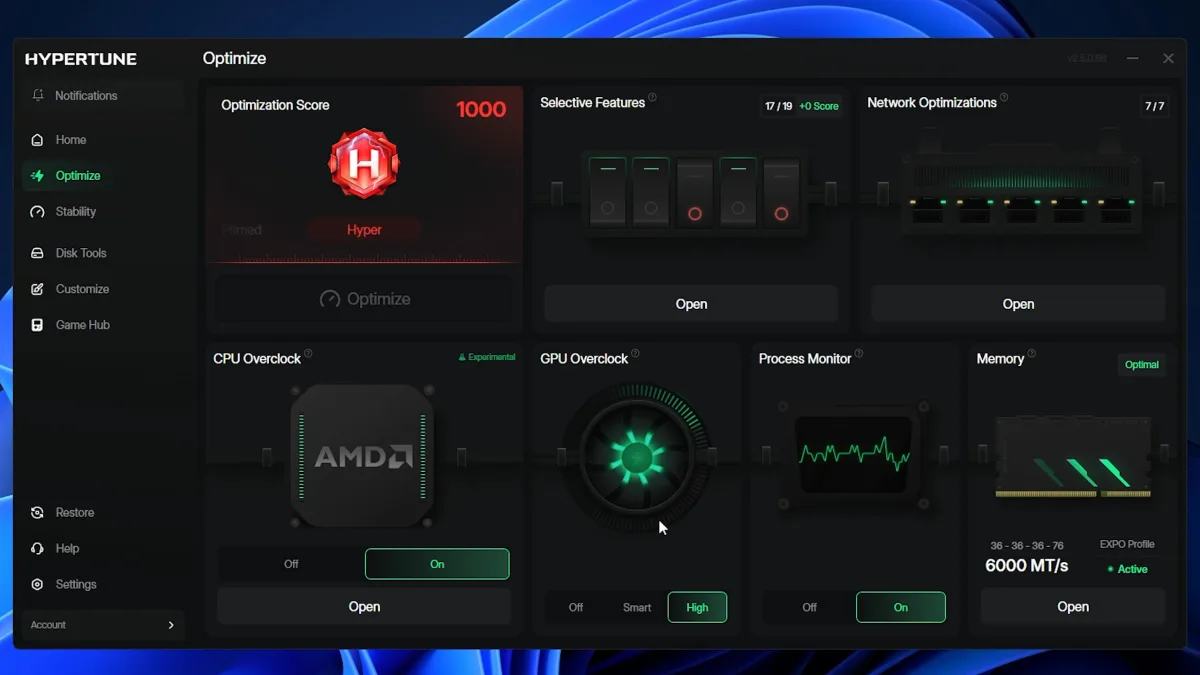
Hypertune has unveiled its Gaming Performance Engineering platform following an extensive early access phase involving more than 60,000 users. Built atop Intel's Extreme Tuning Utility (XTU) SDK in collaboration with Intel, the tool delivers automated CPU and GPU overclocking alongside customizable Windows settings, network tuning, and game-specific adjustments. While the company advertises potential frame rate gains reaching 60%, actual performance improvements typically fall well short of this ceiling.
The platform distinguishes itself by analyzing each individual system before applying optimizations, eschewing the one-size-fits-all approach common to similar utilities. Hypertune collaborated with renowned overclocker SkatterBencher (Pieter Plaisier) during development to refine the software's capabilities.
Automated optimization tools frequently underperform relative to their marketing claims, particularly on newer hardware where gains tend to be marginal. Hypertune released internal benchmark data detailing the specific systems tested, measured results, and performance contributions from each optimization step.
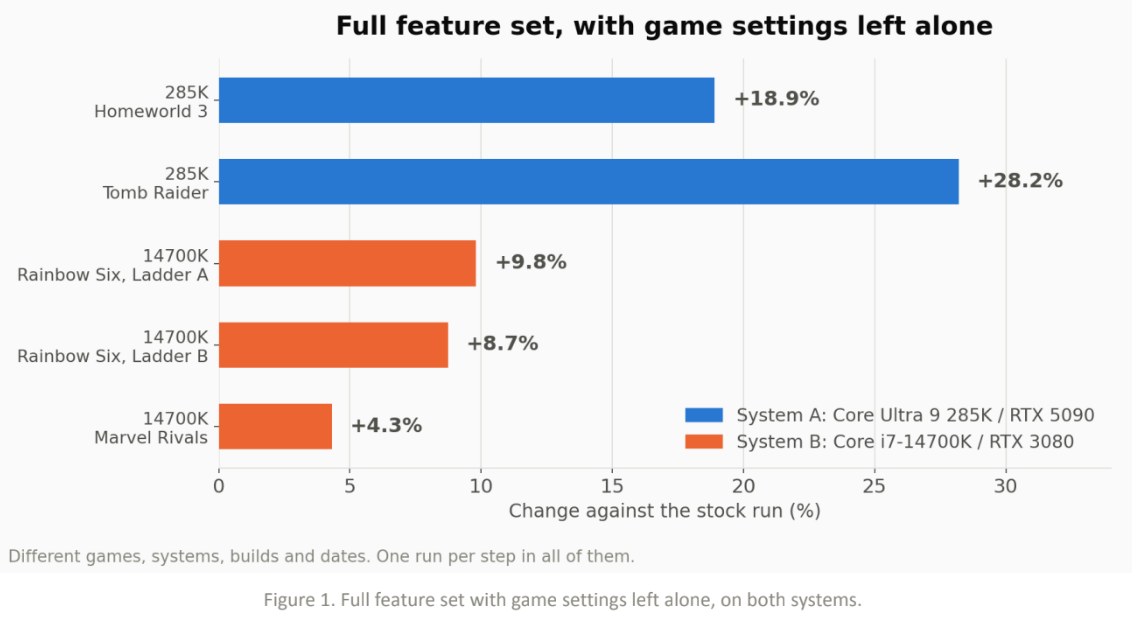
Two systems underwent testing: one equipped with a Core Ultra 9 285K and RTX 5090, and another pairing a Core i7-14700K with an RTX 3080. The 285K configuration achieved 18.9% improvement in Homeworld 3 and 28.2% in Tomb Raider. The 14700K system registered gains of 9.8% in Rainbow Six Siege and 4.3% in Marvel Rivals.
These measurements exclude Hypertune's Game Hub feature, which automatically applies graphics settings profiles to supported titles and produces substantial performance jumps. Manually adjusting graphics settings in identical fashion yields comparable results.
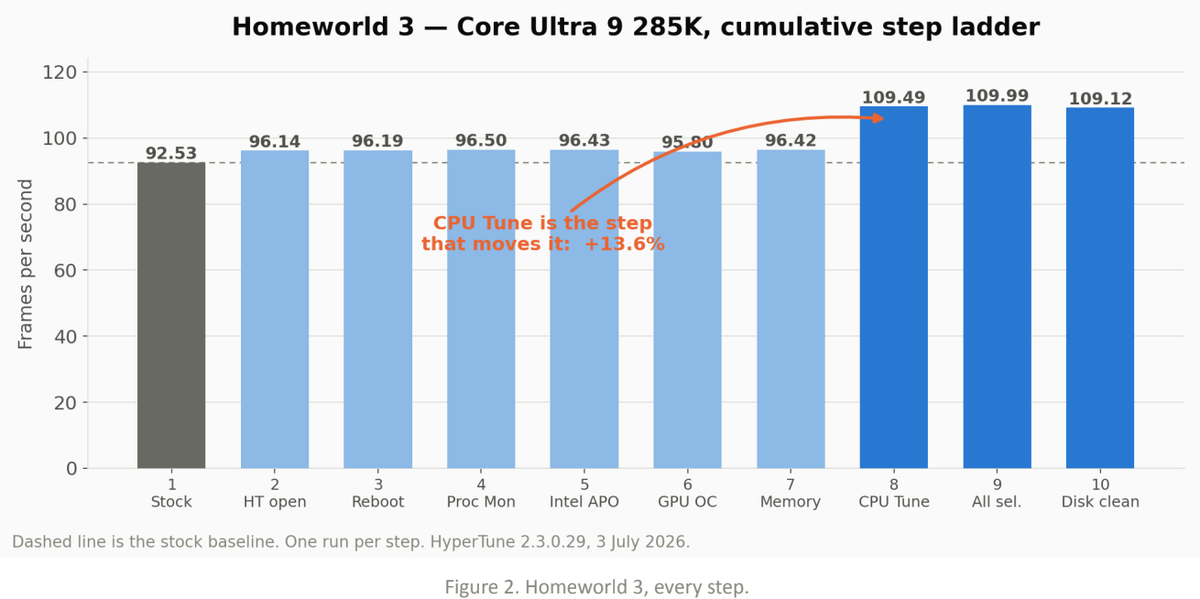
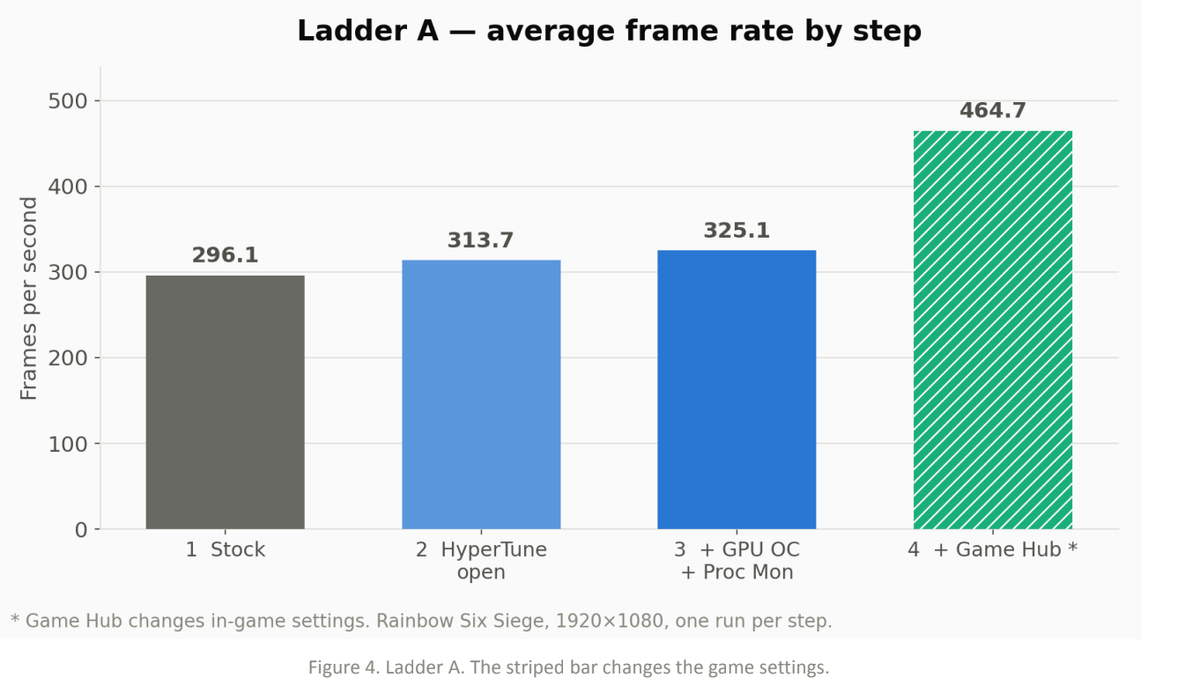
Analysis of individual games reveals varying optimization effectiveness. Homeworld 3 demonstrates CPU tuning as the dominant performance driver. Marvel Rivals shows minimal benefit from Hypertune on certain hardware configurations, though the Core Ultra 9 285K's overclocking headroom and Homeworld 3's CPU sensitivity explain the stronger uplift in that pairing. Rainbow Six Siege exhibits more modest gains of approximately 9.8%, with Game Hub accounting for most improvement through in-game setting modifications.
Hypertune founder Austin Copeland stated that the team was not trying to build a tool for overclockers, positioning the platform toward users unfamiliar with specialized configurations such as Balanced power plans for dual-CCD X3D processors or HAGS for DLSS Frame Generation. Copeland previously coached Valorant teams for esports organization TSM under the alias "Apex."
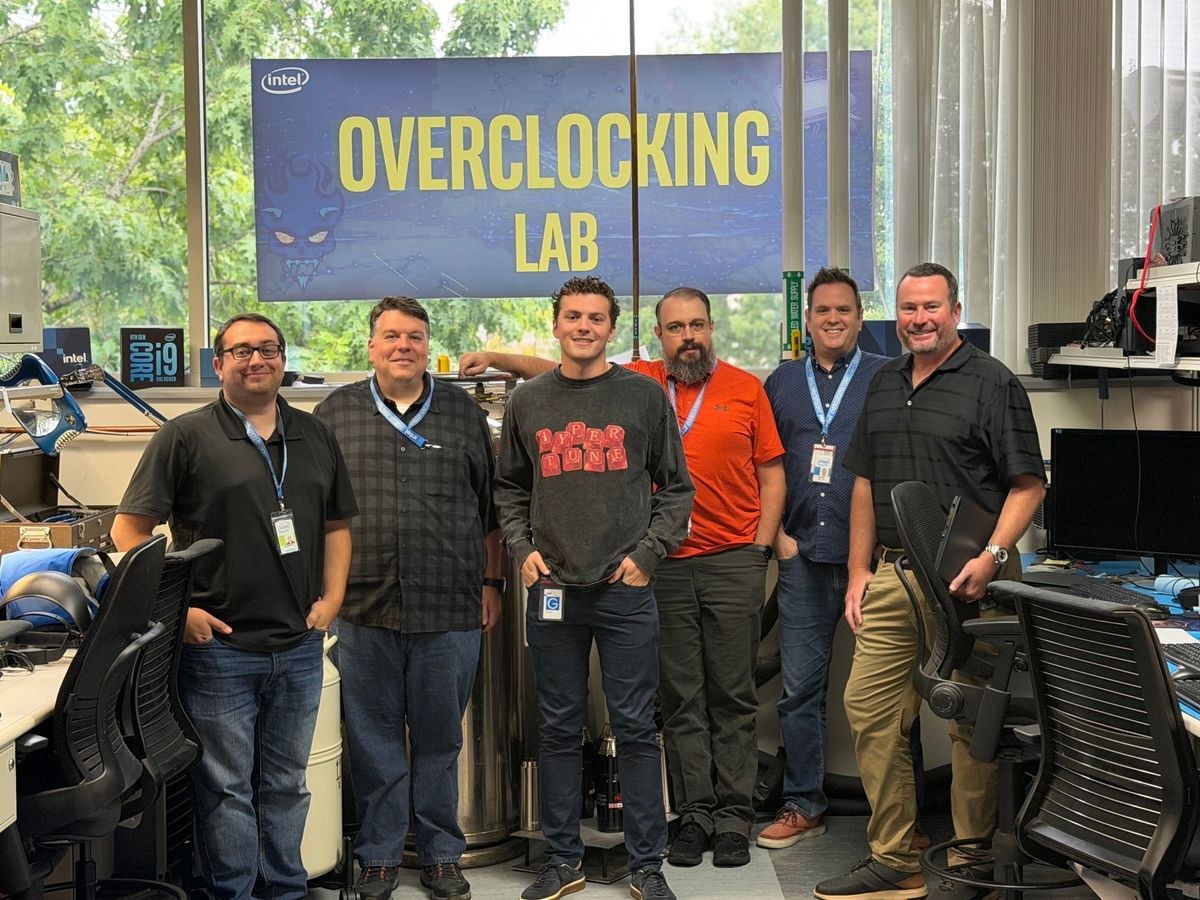
Operating through Intel's XTU SDK, Hypertune emphasizes that its modifications remain non-destructive and fully reversible. While primarily designed for competitive gaming titles reflecting Copeland's background, the software can apply system-wide optimizations. The company confirms compatibility with major anti-cheat systems including Riot Vanguard, Easy Anti-Cheat, and BattlEye.
Unlike numerous free system optimization utilities, Hypertune operates on a subscription model priced at $9.99 monthly or $59.99 annually, with a 7-day trial available. The company additionally offers an "expert tuning" service at $80, wherein a technician remotely accesses and manually configures a user's system.

Hypertune represents a more comprehensive automated overclocking solution than many competitors, yet it remains important to recognize that such tools typically replicate adjustments achievable through manual configuration. Users seeking guidance should consult dedicated resources on graphics card and CPU overclocking techniques.