CachyOS Overhauls Boot and Recovery in Latest Release, Adds Anti-Cheat Kernel
The Arch-based distribution has released its sixth update of the year with significant changes to system startup, recovery mechanisms, and software installation workflows.
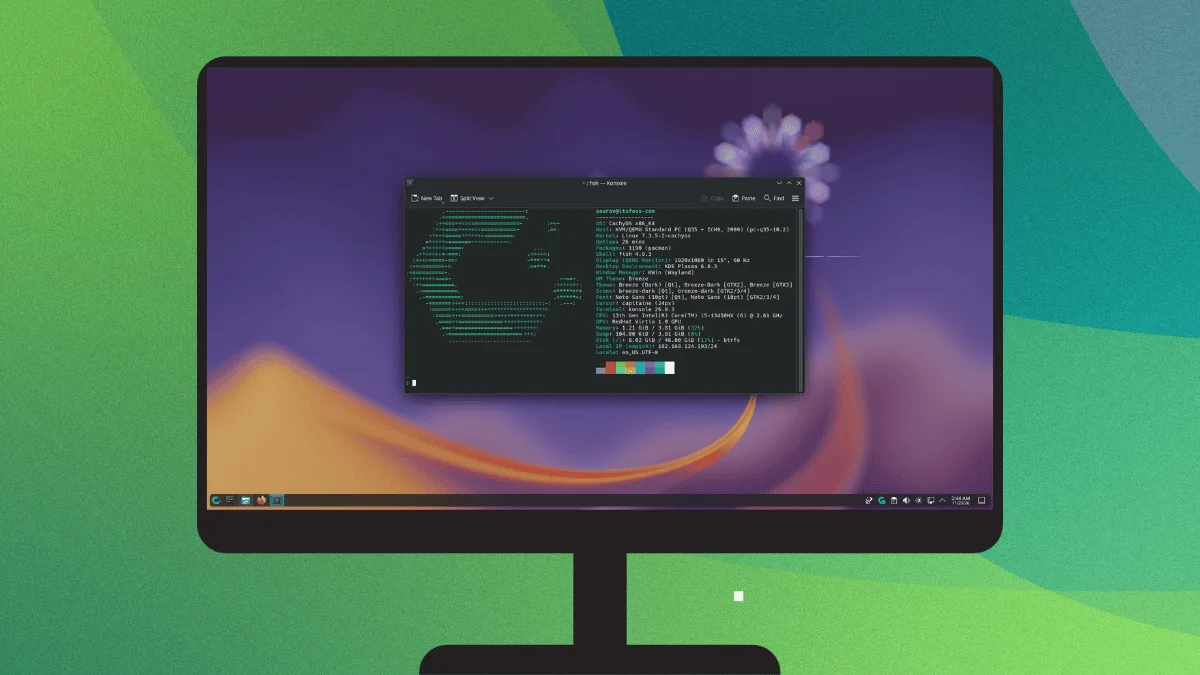
CachyOS, an Arch Linux derivative designed for both power users and gaming enthusiasts, offers 17 or more desktop environments during installation. The distribution includes a specialized Handheld Edition tailored for portable gaming devices such as the Steam Deck and ROG Ally. Built on Arch Linux, CachyOS provides its own kernel and CPU-specific package builds, with installation available through either a graphical interface or command-line tool.
The latest iteration represents the sixth major release this calendar year and introduces substantial modifications to how the system initializes, recovers from issues, and deploys applications.
November Release Highlights
A new kernel variant, linux-cachyos-eac, has been introduced specifically for games utilizing Epic's Easy Anti-Cheat (EAC) Linux v2 technology. This kernel is cryptographically signed with the CachyOS key to satisfy EAC's boot chain verification requirements. The kernel receives its own dedicated boot menu entry while preserving existing boot configurations, with the eac-setup script managing bootloader adjustments. Since DKMS modules cannot load on this kernel, NVIDIA, ZFS, and r8125 drivers are distributed as pre-compiled packages.
A new recovery system called cachyos-recovery provides a rescue environment stored directly on the EFI partition. Users can access it through the bootloader menu or UEFI without requiring a live USB device. The recovery interface permits booting any Btrfs snapshot with a writable root filesystem for testing purposes, followed by rollback capabilities accessible via desktop notifications. The system operates independently of Snapper and accommodates LUKS-encrypted disks, with cachyos-recovery-legacy available for BIOS-based systems.
Package Installer has advanced to version 2.0, featuring a redesigned interface. The updated tool now manages AUR, Flatpak, and AppImage packages with each source being independently selectable. Before executing AUR builds, users can examine the PKGBUILD and installation scripts, with static analysis identifying potentially problematic components. Software updates display differences against the currently installed version.
CachyOS Settings, the configuration package for system tuning, now incorporates systemd-oomd, the out-of-memory killer mechanism, which is enabled by default. This component activates based on swap utilization levels and excludes the user session from termination.
The cachyos-drm-awaiter utility replaces both early KMS and the nvidia-module-loader. Previously, early KMS initialized graphics drivers during system startup to enable native display resolution switching. The new helper delays the login screen until the graphics driver finishes loading, supporting any driver rather than NVIDIA exclusively. If the driver fails to load, a QR code appears on screen. The chwd hardware detection tool has been updated to remove early KMS support, requiring existing users to execute sudo chwd -a -f following the update.
The Calamares graphical installer now utilizes the gucc library from the command-line installer for initramfs, machine-id, and post-installation procedures, with additional components being migrated incrementally. The command-line installer itself underwent refactoring to employ the same library.
Plymouth, the boot splash screen, has become optional. The rEFInd plus AI SDK bootloader option has been discontinued. CachyOS can now run on Windows Subsystem for Linux through a newly available image. The kernel has been upgraded to Linux 7.3.5, accompanied by NVIDIA 620.73.04 and Mesa 26.3.1.
Obtaining CachyOS
Desktop Edition installation images reflect the modifications introduced in this release and represent an appropriate starting point for new users.
Current installations can be updated to the new release by executing the following command:
sudo pacman -Syu