Apple's New MacBook Pro Delivers Stunning Display but Arrives at a Confusing Moment
The latest MacBook Pro features an exceptional OLED screen and a touchscreen, but its steep pricing and uncertain trajectory of AI computing raise questions about whether now is the right time to upgrade.
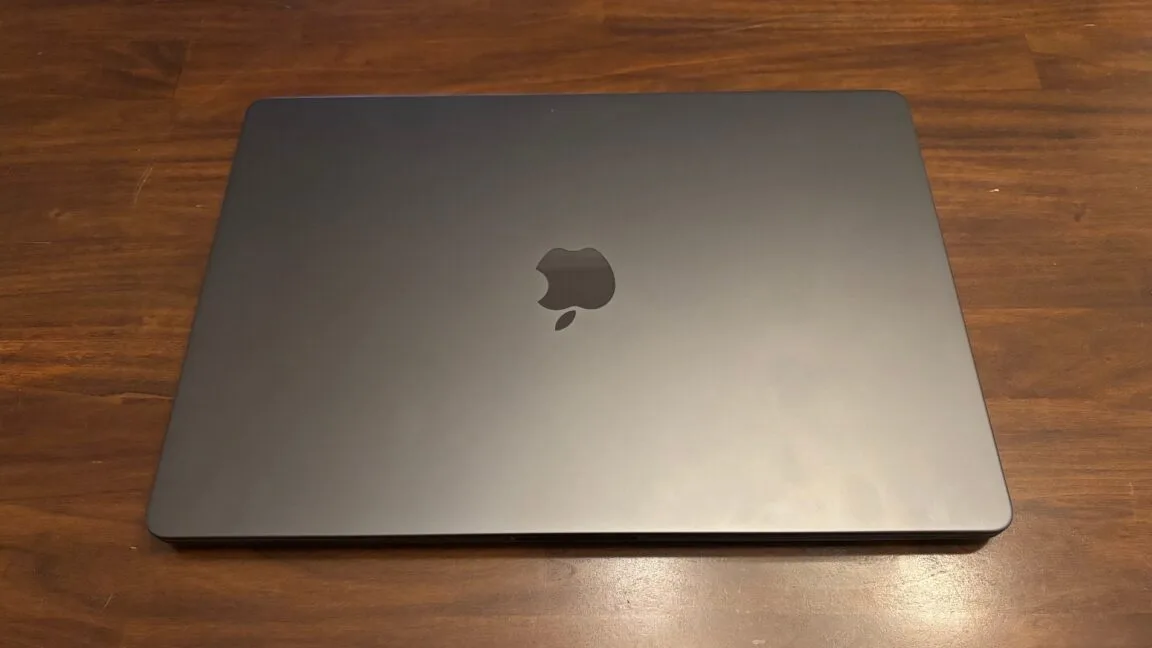
Apple's newest MacBook Pro commands premium pricing that will give most potential buyers pause. Yet the adage holds true: you tend to receive what you pay for. The quality of the screen and the majority of its hardware components are beyond reproach. The real question—one that becomes thornier in 2026—is whether you should actually purchase one.
The computing market finds itself in an unusual state of flux. Laptop costs have reached unprecedented levels in recent memory, with further increases likely on the horizon. Simultaneously, those tracking developments in local and agentic artificial intelligence are grappling with a fundamental uncertainty: "How will computing function in the coming years, and what implications does that hold for the machine I buy today?"
Apple's refreshed MacBook Pro sits squarely within this web of uncertainties, straddling multiple contradictions. It arrives during a transition in Apple's executive ranks, potentially signaling shifts in the company's strategic direction. It functions as a consumer product, yet configuring it with sufficient RAM and storage for longevity pushes pricing into territory accessible primarily to well-capitalized organizations. It remains grounded in computing paradigms from the past two decades, while simultaneously exploring emerging AI-driven workflows. It maintains the conventional MacBook Pro formula in most respects, yet now includes a touchscreen—a feature that would have been unthinkable in earlier Apple eras.
The machine itself is exceptional and well-crafted. Whether it merits purchase hinges on your specific circumstances: your current work, your anticipated future needs, and what you prioritize.
Specifications and performance
Most specifications remain unchanged from the previous generation. The new model promises 24 hours of battery life under conservative usage patterns, maintains the same port configuration (three Thunderbolt, one HDMI, one SDXC, and MagSafe), and includes an N1 chip enabling Wi-Fi 7 and Bluetooth 6 connectivity.
Like its immediate predecessor, it offers M5 Pro and M5 Max chip options. Synthetic benchmarks revealed no meaningful performance differences compared to the prior model, so performance discussion warrants little attention here. Both chips have been thoroughly examined in earlier reviews and remain more than adequate for standard workflows and most 3D applications for the foreseeable future. AI inference represents the primary area where future-proofing may prove insufficient. The chips perform capably at present, but the field evolves rapidly, and meaningful advances in future silicon are anticipated.
According to Bloomberg, Apple is bypassing Pro and Max variants of the M6 chip introduced earlier this year to concentrate resources on a substantial redesign of the M7, scheduled for 2027. "The M7 line is designed primarily around major advancements to on-device AI processing," Bloomberg's Mark Gurman wrote. The lineup would prioritize memory bandwidth, critical for rapid and efficient AI inference.
Even without Bloomberg's reporting, such priorities seem likely for Apple's next high-end chip iteration. Another indicator supports this expectation: Apple implemented comparable enhancements with the A20 Pro, which debuted in its latest iPhones several weeks prior. That update delivered a substantially enhanced Neural Engine and notable memory bandwidth expansion. The A20 Pro also demonstrated improved 3D graphics performance in certain scenarios.
Comparable advances could reach Mac hardware, suggesting that postponing purchase for another year might prove worthwhile if AI workflows or 3D applications are central to your needs—particularly given these machines' considerable expense. This uncertainty underscores why 2026 presents a complicated moment for laptop acquisition. These companies are fundamentally rethinking chip architecture in response to emerging workflows, and the ultimate results remain unknown.
A monster of a display
One element stands unambiguous: this MacBook Pro's screen ranks among the finest ever encountered in a laptop. For those prioritizing display quality, this represents a significant milestone.
Apple designates it a "tandem OLED display," referring to a panel incorporating two emissive layers. This architecture facilitates higher peak brightness levels and, perhaps more significantly, diminishes burn-in risk. Under typical circumstances, the display need not operate both layers at maximum power. Instead, they distribute the workload and function at reduced current levels, extending panel longevity.
The display achieves up to 2,000 nits peak brightness on HDR highlights, with a 1,000 nits sustained brightness rating. Apple's OS-level HDR implementation proves particularly effective.
While brightness matters for HDR material, OLED's defining advantage lies in per-pixel illumination—each pixel operates independently, enabling absolute blacks and exceptional contrast. The MiniLED panel in the preceding MacBook Pro delivered respectable contrast for an LCD display, but OLED possesses a fundamental superiority that manifests clearly.
The screen natively supports both P3 and Adobe RGB color gamuts. It features variable refresh rates spanning 10 to 120 Hz, consistent with other Apple products. The MacBook Pro continues in approximately 14-inch (3,024×1,986 pixels) and 16-inch (3,472×2,226 pixels) configurations. A nano-texture glass option addresses glare concerns but adds $150 to the price.
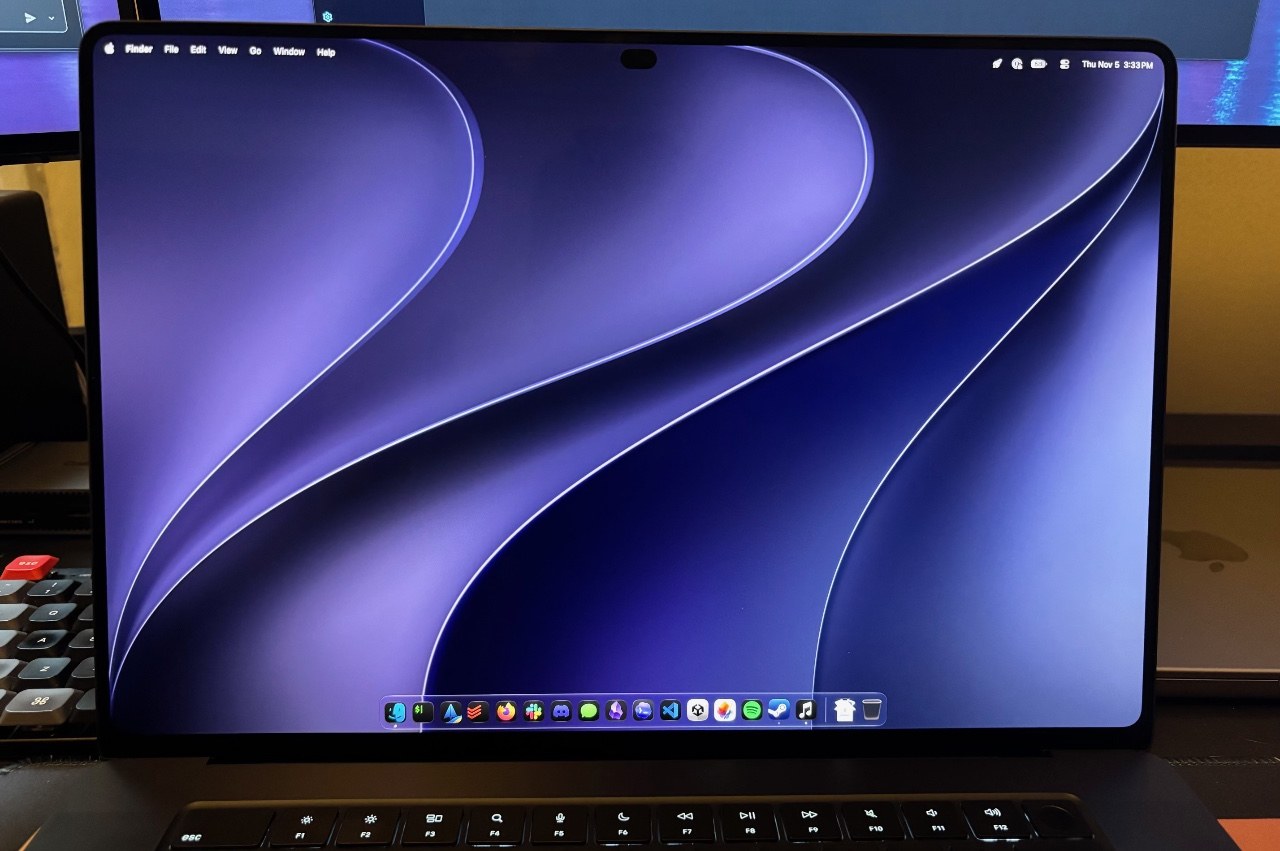
This ranks among the most impressive displays encountered on any device and definitively the finest on any laptop examined. Colors display vibrantly, contrast proves outstanding, blacks appear genuinely inky, and brightness reaches remarkable levels—not merely in highlights but across full-screen content. Overall precision is exceptional. Uniformity appears essentially flawless. The quality matches what one would anticipate from ultra-premium televisions or professional reference monitors rather than laptop or computer screens, and the effect is genuinely striking.
Longevity remains to be seen, but OLED technology has advanced considerably in recent years, and initial impressions suggest Apple made all appropriate decisions here.
Attempting to identify substantive criticisms of the MacBook Pro's screen to avoid excessive enthusiasm proves difficult. The most legitimate complaint concerns Apple's proprietary "PROLED XDR" branding, which invites eye-rolling.
Setting branding aside, the display constitutes the primary justification for paying extra for this model.
Design
With the lid closed, the new MacBook Pro appears virtually identical to its predecessor. Dimensions remain largely consistent. It is marginally thinner, though detecting this difference requires consulting specifications or direct side-by-side comparison.
Handling the machine reveals a more noticeable distinction: it weighs approximately half a pound less than the previous model. While not a dramatic shift in weight class, the reduction registers perceptibly and represents a welcome improvement. The display technology transition contributes to this reduction; OLED screens prove easier to manufacture lightly than MiniLED alternatives.
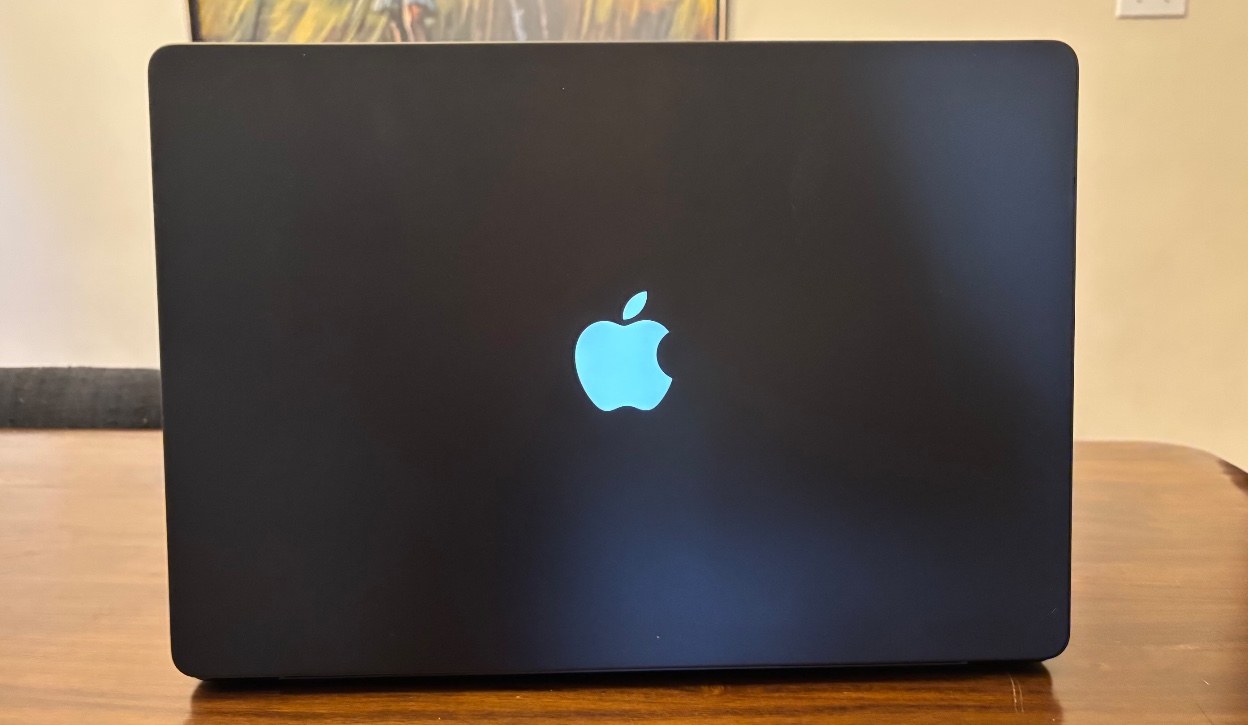
Opening the MacBook Pro and powering it on reveals several other notable changes, depending on viewing angle. From behind, the Apple logo on the lid now illuminates, reminiscent of older MacBooks. It carries a somewhat tacky quality, yet it also conveys a neat, nostalgic appeal. It merits neither strong approval nor disapproval.
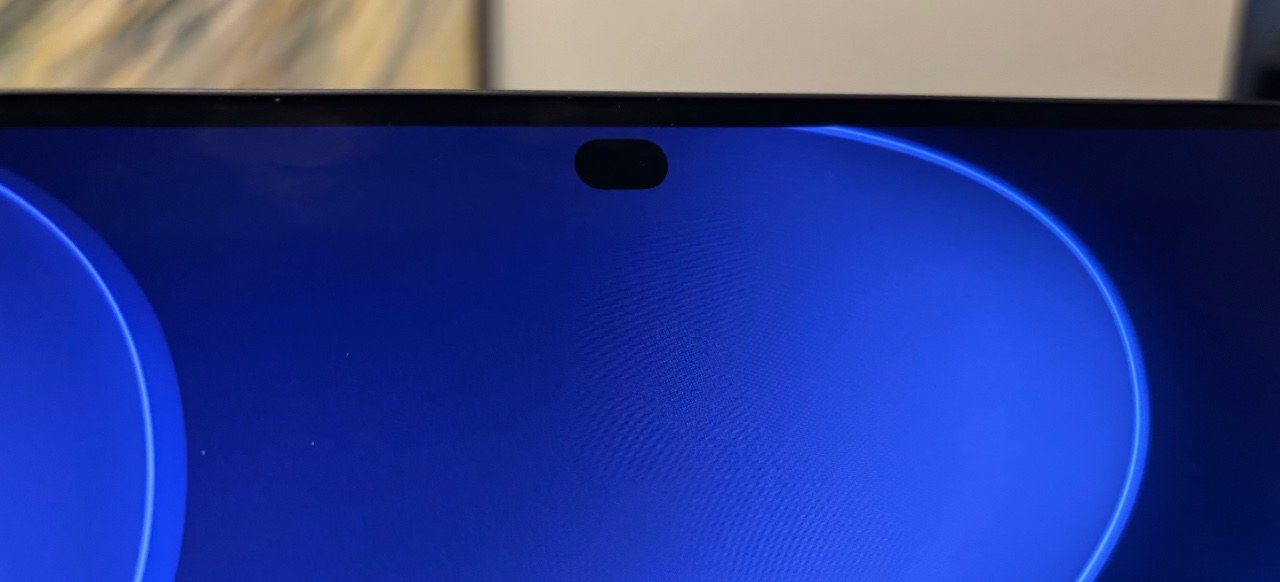
From the front, the already minimal bezels appear even more diminished, though this change proves subtle. More prominently, the top-of-screen camera notch has been replaced by a cutout resembling the Dynamic Island that Apple introduced on the iPhone.
A comparatively sensible camera cutout
Upon reviewing the first iPhone featuring a Dynamic Island, the assessment was largely favorable. A screen cutout remains suboptimal, but Apple managed it with considerable intelligence, and the implementation arguably transformed what should have been a liability into an appealing characteristic.
The OLED technology enables pixels surrounding the camera cutout to achieve the same blackness as the cutout itself. Apple engineered live activities, volume indicators, and additional elements to appear as though expanding outward from and contracting back into this small dot. The design remains ingenious.
When the Dynamic Island initially arrived on iPhones, it unified multiple previously separate notification display approaches in iOS, proving especially valuable. On the MacBook Pro, it solves fewer problems, though it represents an improvement over the notch's dead weight. The MacBook Pro's substantially larger screen means the cutout occupies a minimal portion of display real estate.
Full-screen applications terminate just below the Dynamic Island by default, mirroring the notch behavior. The top of the viewport ends just beneath the Dynamic Island, creating the appearance of a taller top bezel without intruding into the application interface. The menu bar, clock, and other system elements continue occupying the space above applications (rendered against a completely black background) when the cursor moves upward.
Testing included several full-screen games, including World of Warcraft and Cyberpunk 2077. Some adopted the default full-screen app behavior described above, while others attempted to occupy the entire screen, making the cutout visible. Importantly, every video application tested avoided the cutout during full-screen playback.
This feature does not warrant upgrading specifically for its inclusion. Overall, however, it represents an improvement over the previous implementation.
The most touchable MacBook Pro ever
Apple has ultimately integrated a touchscreen into the MacBook Pro. The word "finally" applies because this possibility has circulated for approximately two decades. Steve Jobs famously opposed the concept; documentation exists of him articulating his belief that it would degrade user experience.
A couple of years ago, credible reports surfaced indicating Apple was pursuing the idea regardless. Upon learning this, the imagination conjured an exciting potential implementation: a convertible laptop enabling tablet-like usage, complete with Apple Pencil support for drawing and writing.
As a game developer, the vision included rapidly sketching 2D game maps with an Apple Pencil, leveraging a local AI model to transform them into 3D geometry, then switching to laptop configuration for testing and coding. The concept also encompassed using it like an iPad for more comfortable movie viewing during flights.
That is not what materialized. The laptop maintains the same form factor as the previous MacBook Pro—no tablet mode or Pencil support. Instead, it permits reaching upward from the keyboard and trackpad to touch the screen. This feels like a squandered opportunity.
Certain creative applications have incorporated touch functionality that could justify the touchscreen if utilized extensively. Logic Pro, for instance, permits playing on-screen virtual piano keys with multiple fingers, potentially surpassing clicking interactions. Many users likely maintain workflows built around alternative approaches, however.
For those specifically anticipating a MacBook Pro touchscreen, this represents as solid an implementation as one could reasonably expect without converting the laptop into a convertible. Apple invested genuine effort into the feature. The hinge underwent re-engineering to prevent excessive screen wobbling during touch interaction. The screen responds quickly, accurately, and responsively. It accommodates multi-touch gestures including pinch-to-zoom and three-finger swiping to switch desktop spaces.
One use case resonates particularly for developers. Testing iPhone and iPad applications in the Simulator has perpetually involved minor friction due to input method differences. Users either approximate only a subset of available interactions using trackpad and mouse or connect an iPhone or iPad for testing purposes. A touchscreen could provide a more refined approach to testing such applications in Xcode, Unity, or comparable tools.
Practically speaking, certain macOS UI elements prove too small for larger fingers, necessitating careful tapping. Additionally, the touchscreen frequently escapes awareness for extended periods, with usage reverting to established habits, partly because nothing achievable at the OS level cannot be accomplished equally readily with trackpad gestures. And as Jobs predicted decades ago, arm fatigue accompanies extended touchscreen usage.
Personally, keyboard and trackpad usage feels faster, simpler, more comfortable, and more intuitive 100 percent of the time, though this reflects decades of ingrained muscle memory and habit. An emerging generation apparently possesses comparable familiarity with touch interfaces, so this feature may appeal to them. Furthermore, touchscreen laptops have existed in the Windows ecosystem indefinitely, and certain consumers appear interested in purchasing them, though the appeal remains unclear without supplementary tablet functionality.
The touchscreen likely contributes minimally to overall device cost relative to the OLED panel, memory, storage, and other components. Consequently, despite personal bewilderment, its inclusion generates no dissatisfaction. It will probably serve those desiring it adequately.
The same excellent workstation—if you can afford it
As mentioned previously, whether this laptop deserves recommendation depends fundamentally on your circumstances and machine usage patterns. This has consistently held true, yet the principle applies with particular force here.
Creative professionals or display enthusiasts seeking the finest laptop screen imaginable will find satisfaction in the investment. Perhaps you can demonstrate a workflow proving the touchscreen's value, contradicting skepticism!
Those seeking a capable laptop with solid everyday performance might consider the non-OLED, non-touchscreen model remaining in Apple's catalog—or even a MacBook Air, which sacrifices relatively little for most users. The entire ecosystem of Windows and Linux laptops also warrants consideration.
For developers—particularly those working at the frontier of AI workflows—the situation becomes complicated. Will postponement prove worthwhile? The evolution of these workflows and their hardware demands remain sufficiently uncertain that confident recommendations prove impossible. (Personally fitting best in this category, an M1 Max machine remains in use, though conviction wavers.)
In most respects, this remains the same MacBook Pro reviewed repeatedly over recent years. Touch introduces a feature targeting a particular niche or perhaps welcomes a newer generation. The display constitutes a more substantial update, presenting a compelling upgrade case, especially for those transitioning from older, pre-MiniLED laptops.
This machine carries substantial expense. The reviewed configuration (16-inch, M5 Max, 128 GB RAM, 2 TB SSD) retails for $7,399, though reducing to a more typical 64 GB configuration saves $1,600. (The most affordable configuration begins at $2,899.)
For the overwhelming majority of purchasers, the pre-OLED version remaining in Apple's lineup or another MacBook model will deliver superior value. If you prioritize OLED or a touchscreen, you probably recognize this already. Based on extended experience with the new MacBook Pro, both features fulfill their promises, even if the latter lacks the ambition some anticipated.
- Outstanding display delivering notably superior and more precise image quality while modestly reducing device weight
- The M5 Pro and M5 Max remain sufficiently fast for the majority of users
- Strong construction quality, comprehensive port selection, and all other positive attributes of the previous MacBook Pro
- For certain workflows, the M5 Pro and M5 Max are already several months old in an environment advancing rapidly
- RAM and SSD pricing pressures are genuine, and these costs present a formidable obstacle for most buyers