Apple's AI-Powered Siri in iOS 27: A Privacy Control Guide
Apple's redesigned Siri in iOS 27 functions more like an AI chatbot than a voice assistant, but the expanded capabilities come with privacy trade-offs. Users can take steps to limit what data the system accesses and processes.
The latest iteration of Apple's operating system introduces a substantially reimagined Siri that operates more like a conversational AI than the traditional voice assistant users have known. Rather than appearing as an invokable element, the new Siri functions as a dedicated application. This transformation brings increased functionality alongside significant privacy considerations that warrant careful management.
The enhanced Siri merges with Spotlight search, creating a unified interface where pulling down on the screen now simultaneously invokes both search and Siri capabilities. By default, Siri queries will search through native Apple applications including Notes, Messages, and email. As developers integrate support, Siri gains access to third-party applications. Apps without this integration remain inaccessible to Siri unless content is shared through a feature called "on-screen awareness."
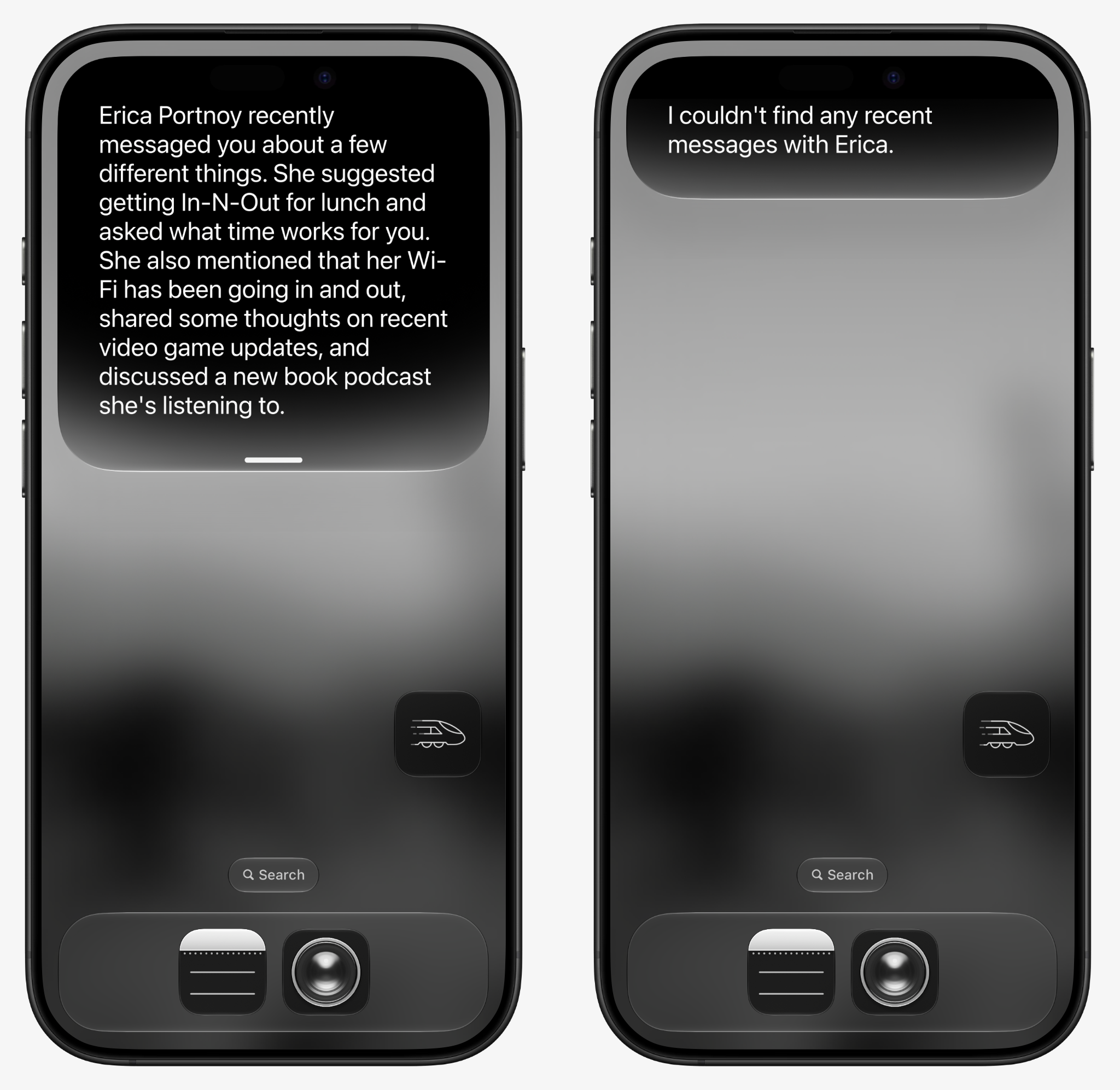
Consider a practical example: if Signal does not implement Siri AI support and your conversations with a contact occur only through Signal, Siri cannot answer questions about that correspondence. The same question posed about conversations on Apple Messages would yield results, as Siri can summarize the content.
Processing occurs through two pathways. Some queries are handled directly on the device, while others route through Apple's Private Cloud Compute (PCC), transmitting data to cloud servers. Users cannot easily determine which path their data takes. Apple asserts that data sent to PCC is not retained after processing, yet this distinction matters significantly for users employing Advanced Data Protection, which encrypts iCloud data end-to-end. Transmitting encrypted data to external servers, regardless of privacy assurances, fundamentally alters the security calculation.
Users can completely disable Siri through Settings, but those wanting to maintain the service while restricting its capabilities have several options available. Note that only iPhone 15 Pro, iPhone 15 Pro Max, and all iPhone 16 models support these AI features. Siri AI currently operates only in English and remains unavailable in certain regions.
Restricting Siri's Access to App Content
App developers determine whether Siri can index and access their application's contents. When enabled, Siri surfaces this information in search results and general queries. To prevent Siri from searching specific applications:
- Navigate to Settings > Apps > [selected app] > Search
- Toggle off "Show Content in Search"
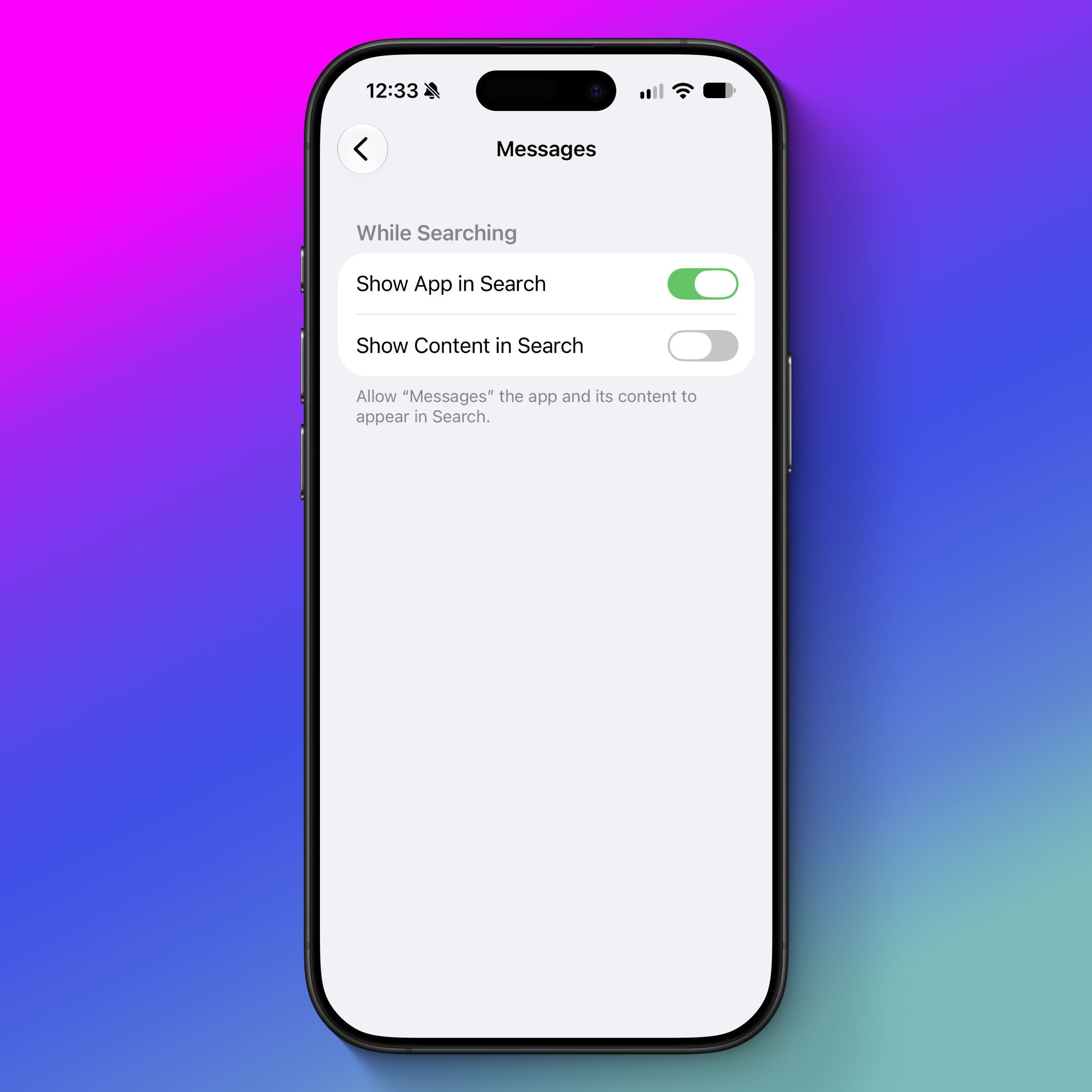
With this setting disabled, Siri will not retrieve information from that application during searches. For instance, disabling this option for Messages prevents Siri from reading message conversations.
A separate "App Access" setting exists within Siri settings, though it primarily controls personalization features rather than content access. This menu allows configuration of how Siri interacts with applications:
- Open Settings > Siri > App Access
- Select the application to modify
The "Learn from this App" option tracks usage patterns such as how frequently an application is opened. Other toggles—"Show on Home Screen," "Suggest App," and "Suggest Notifications"—control whether Siri recommends applications in various locations. Apple indicates these personalization features rely on on-device processing without server storage.
On-Screen Awareness and Its Privacy Implications
A particularly significant feature is on-screen awareness, which allows users to ask Siri to explain, summarize, or act on content currently visible on their screen. This can include summarizing web pages, adjusting recipes, creating calendar events, or identifying photograph locations. However, this same capability extends to private communications—users can ask Siri to explain Signal group chats or WhatsApp messages they are viewing, and this data may transmit to PCC.
Currently, neither users nor app developers possess controls to block on-screen awareness. The only safeguard is user discretion in choosing whether to invoke this feature. Apple could substantially enhance privacy protections by allowing developers to disable Siri AI access to their applications entirely and by providing users a unified control to block all Siri AI features for specific apps.
Managing Training Data Collection
By default, Siri AI does not collect interaction data for training purposes. However, during setup, Apple offers an opt-in option that users may have inadvertently selected. To prevent data from being used for training:
- Access Settings > Privacy & Security > Analytics & Improvements
- Disable "Improve Siri & Dictation"
According to Apple's privacy documentation, this action prevents the collection of audio and text data from Siri interactions for training purposes.
Reverting to Previous Siri Versions
Users uncomfortable with the new Siri AI implementation can revert to the earlier version, though the process requires navigating multiple settings:
- Open Settings > Screen Time > Content & Privacy Restrictions
- Enable "Content & Privacy Restrictions" if not previously activated
- Select the Siri option, then "Allowed Siri Version"
- Choose "Siri Classic"
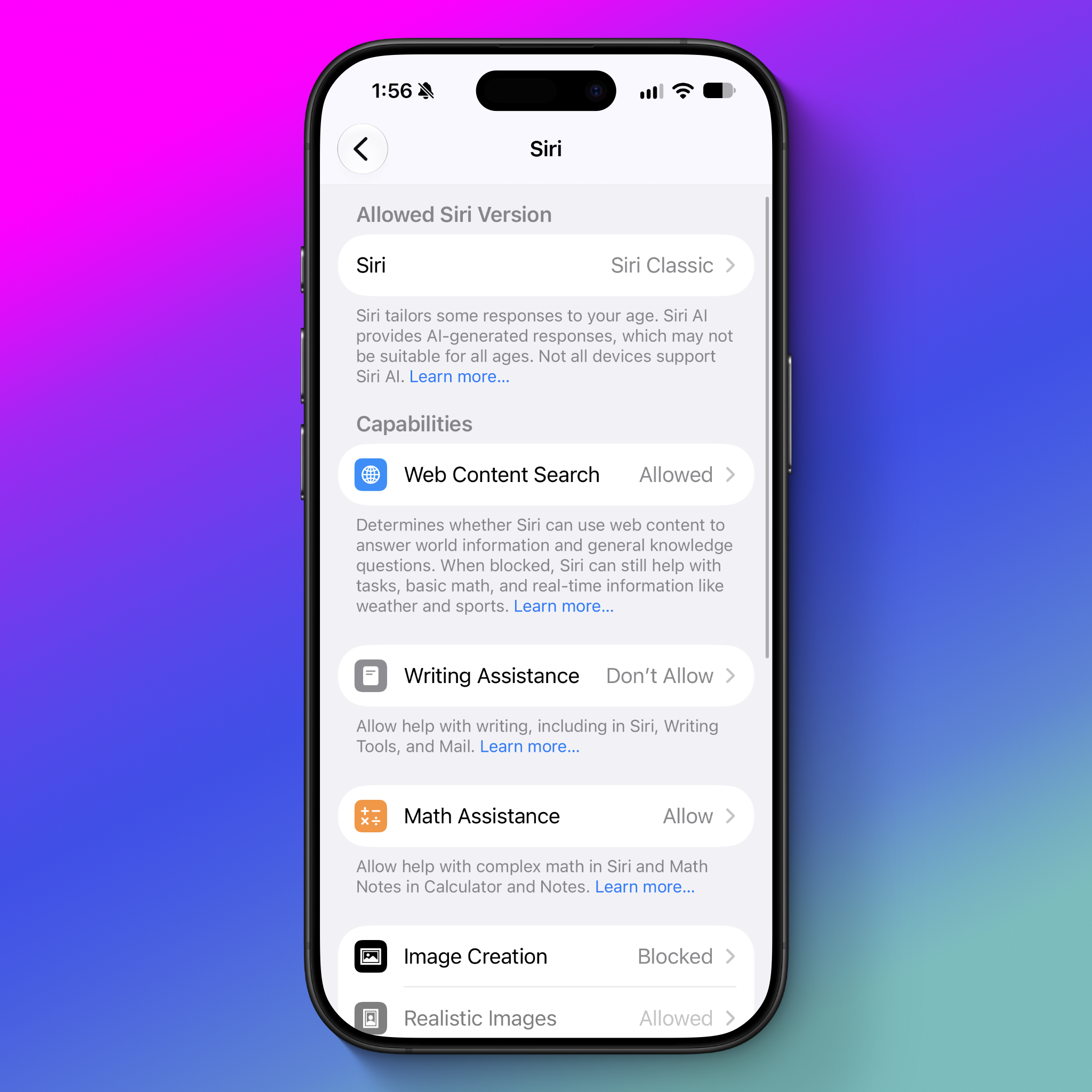
This same settings area permits disabling other AI features, including writing assistance, math prompts, image generation, and extensions. Apple's documentation provides comprehensive guidance for disabling additional AI capabilities.
The Broader Privacy Picture
Apple's approach to AI integration remains less intrusive than competitors, making privacy implications somewhat easier to understand. Nevertheless, the distinction between on-device and cloud processing remains opaque to users, and privacy trade-offs lack transparent presentation. The system would benefit from an on-device-only processing option for Siri AI and a straightforward single toggle to disable all AI features within specific applications. Apple has indicated plans for a unified privacy control in a future update.
The expanded Siri functionality has created ambiguity around privacy options. The term "Siri" now encompasses diverse capabilities ranging from internet searches to timer functions, yet users lack straightforward mechanisms to manage data according to their preferences. The current implementation presents a fragmented collection of toggles that frequently feel inadequate and may confuse many users attempting to navigate privacy controls.