JSAUX FlipGo dual-screen portable monitor: premium build and color performance come at a weight cost
The JSAUX FlipGo delivers two 16-inch touch displays and a built-in USB hub for under $500, but its 4.18-pound heft limits its portability despite impressive specs and display quality.
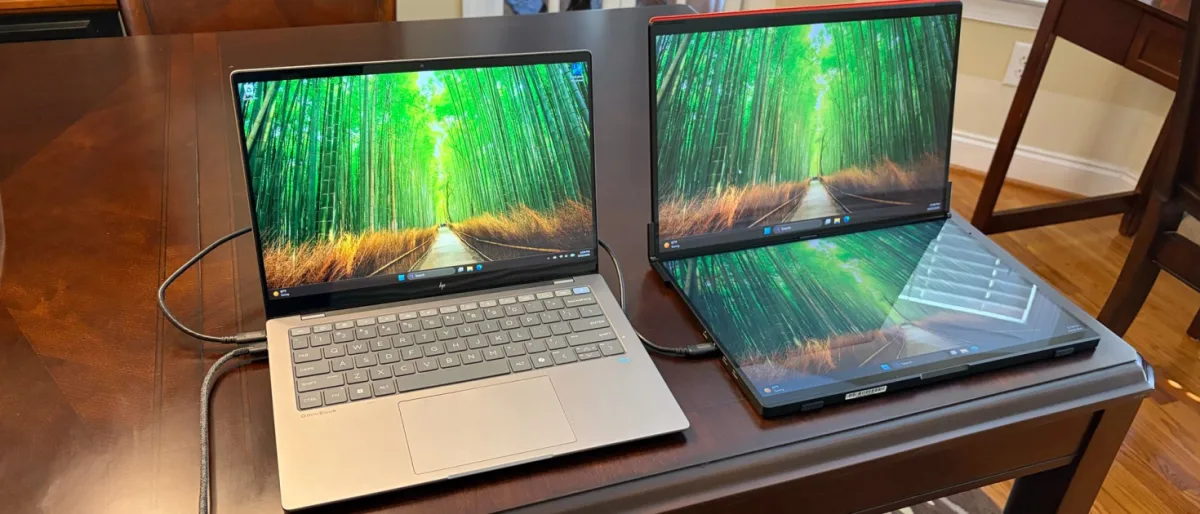
JSAUX has released another contender in the portable dual-monitor space with the FlipGo, following its earlier FlipGo Horizon Pro model. The device pairs two 16-inch 2560 x 1600 IPS touch displays with a built-in USB hub featuring two USB-A ports and one USB-C port. Priced just under $500, the FlipGo sits competitively within the portable dual-monitor market, though its weight and size raise questions about its true portability for traveling professionals.
Design of the JSAUX FlipGo (PM0204)
The FlipGo arrives in a surprisingly large and heavy shipping box. Upon unboxing, the dual-screen assembly itself tips the scales at 4.18 pounds—substantially heavier than a 14-inch Apple MacBook Pro. The weight stems from JSAUX's choice of a thick aluminum chassis that resists flexing and delivers a premium tactile experience. The hinges connecting the two displays are equally robust, offering no wobble while allowing users to adjust the viewing angle freely.
Despite JSAUX's "portable" label, the FlipGo is not practical for slipping into a laptop bag or backpack. The dual 16-inch frame measures 14.41 x 9.45 inches and stands 0.7 inches thick. For most users, the device will remain permanently stationed on a desk or move only within an office building. Carrying it for travel appears unrealistic for most scenarios.
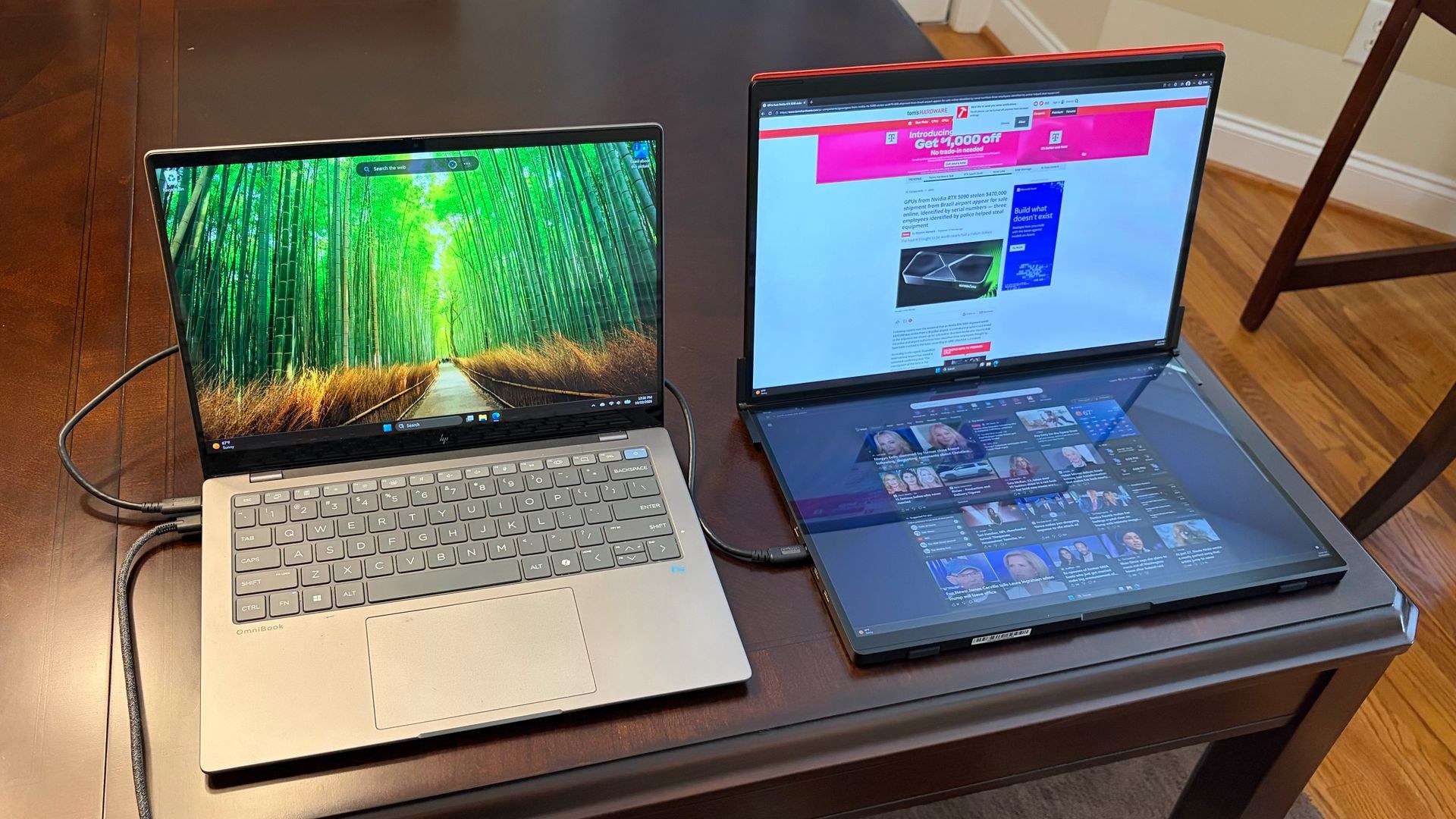
The specifications themselves are noteworthy. Both 16-inch panels operate at 60 Hz with 2560 x 1600 resolution—a significant step up from the 1920 x 1080 panels typical of competing dual-screen monitors. The glossy finish on both screens is unusual in this category, but it exists because both panels natively support 10-point touch input on Windows 11. Touch functionality does not extend to macOS, making the non-touch variant a better choice for Mac users.
Connectivity ports cluster on the bottom panel. The left side houses two USB-C ports and two mini-HDMI ports. The right side provides the internal USB hub's ports: two USB-A and one USB-C. A three-way jog wheel for on-screen display control and the power button sit adjacent to the hub connections.
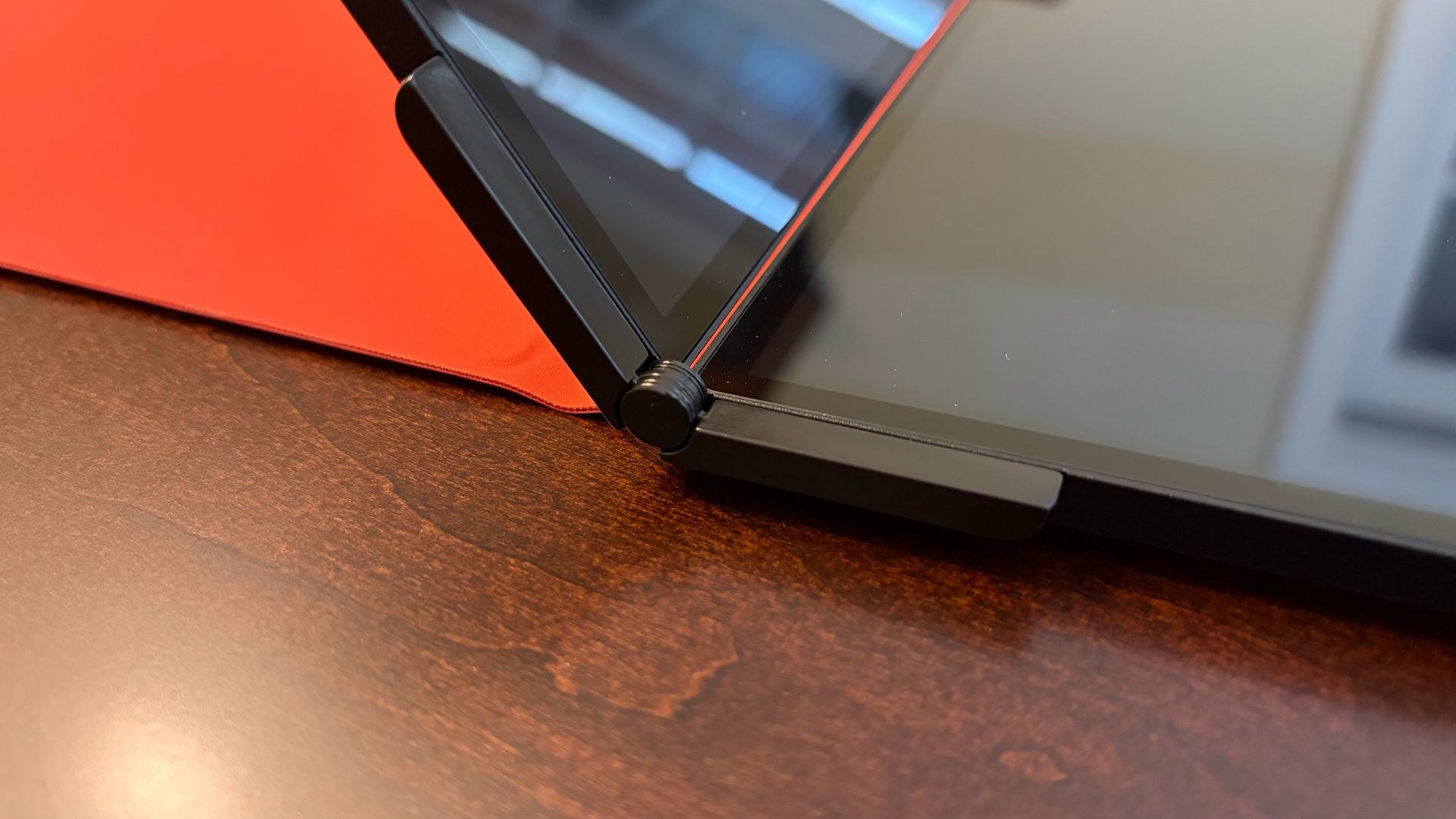
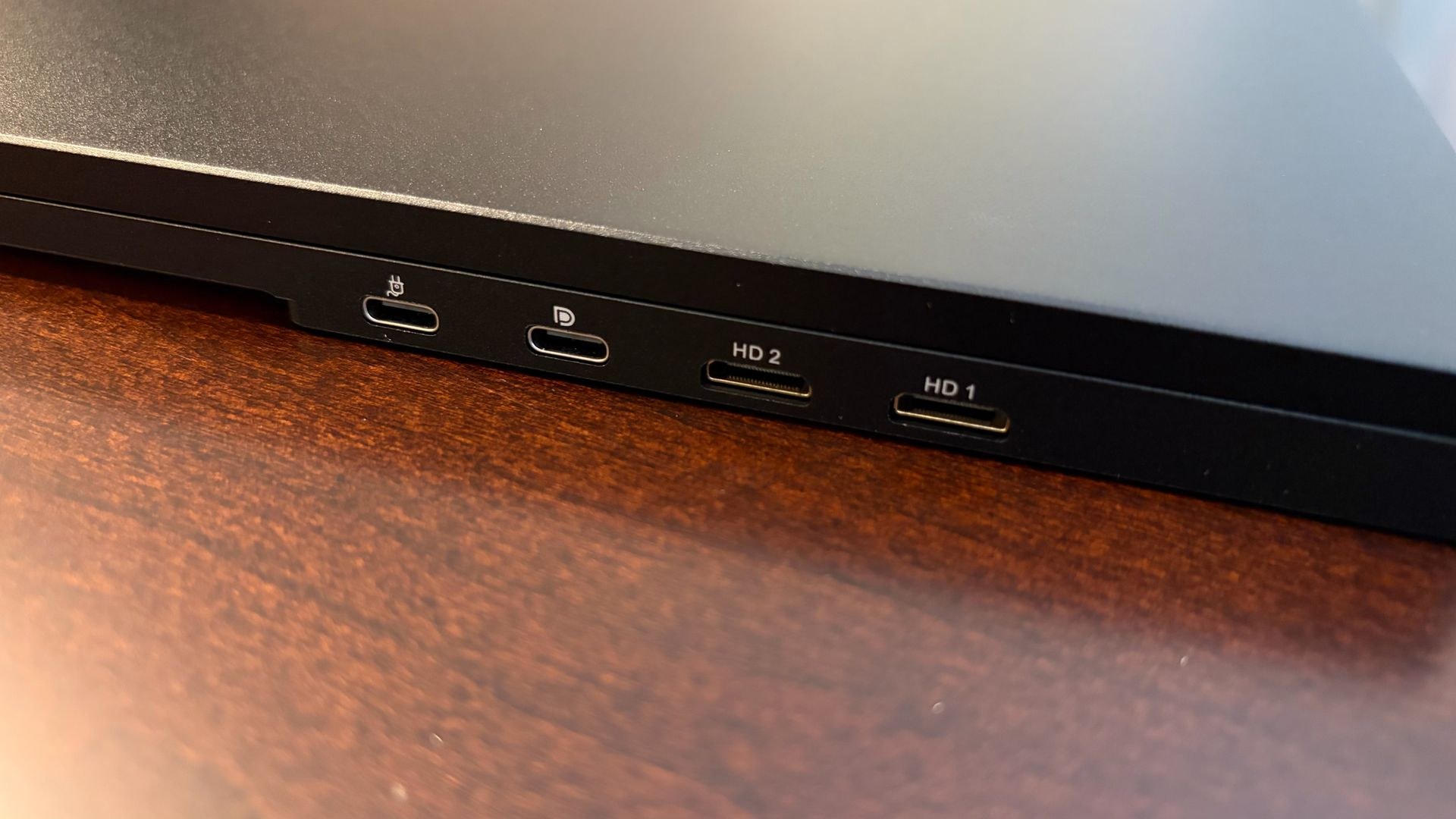
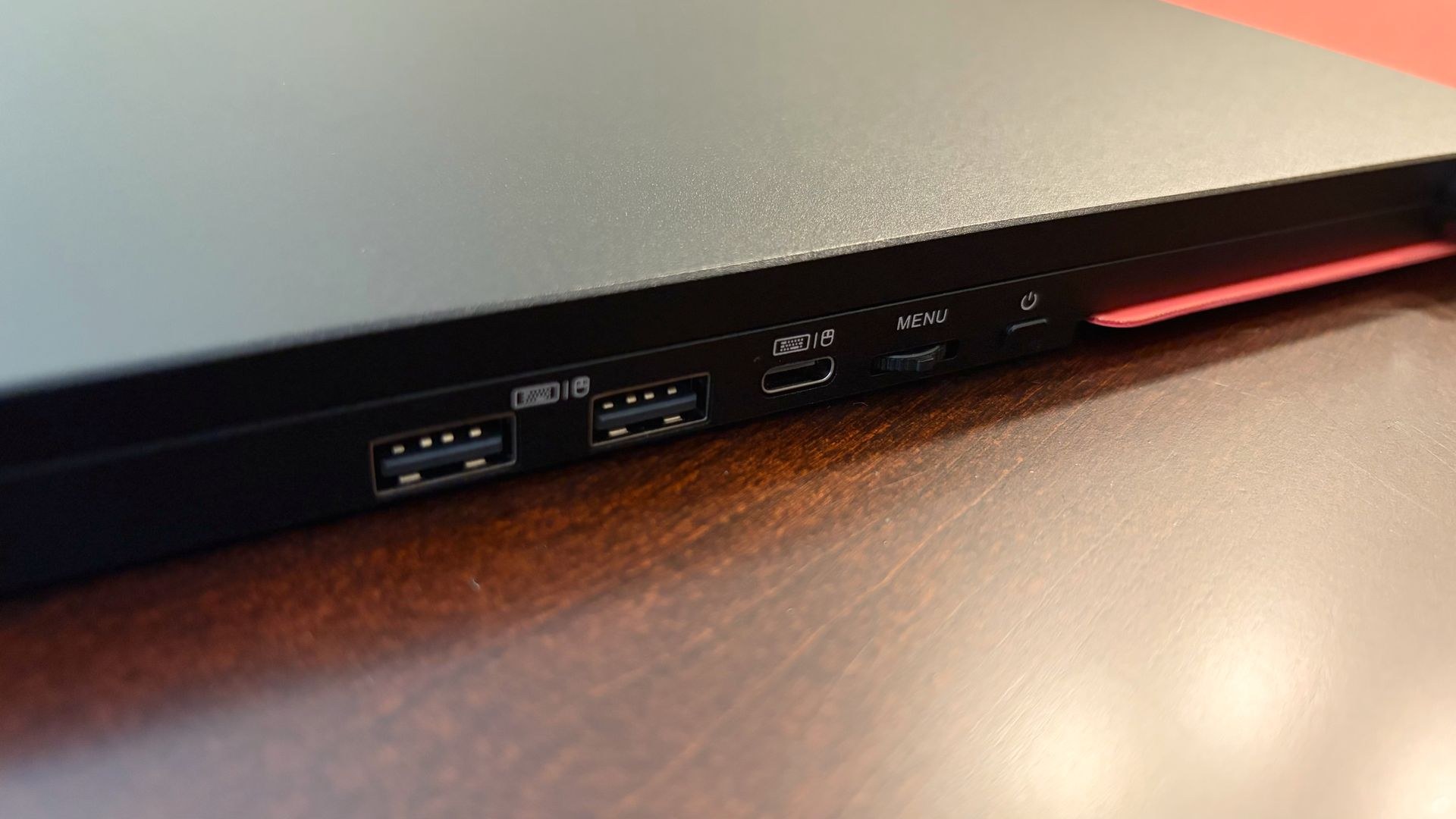
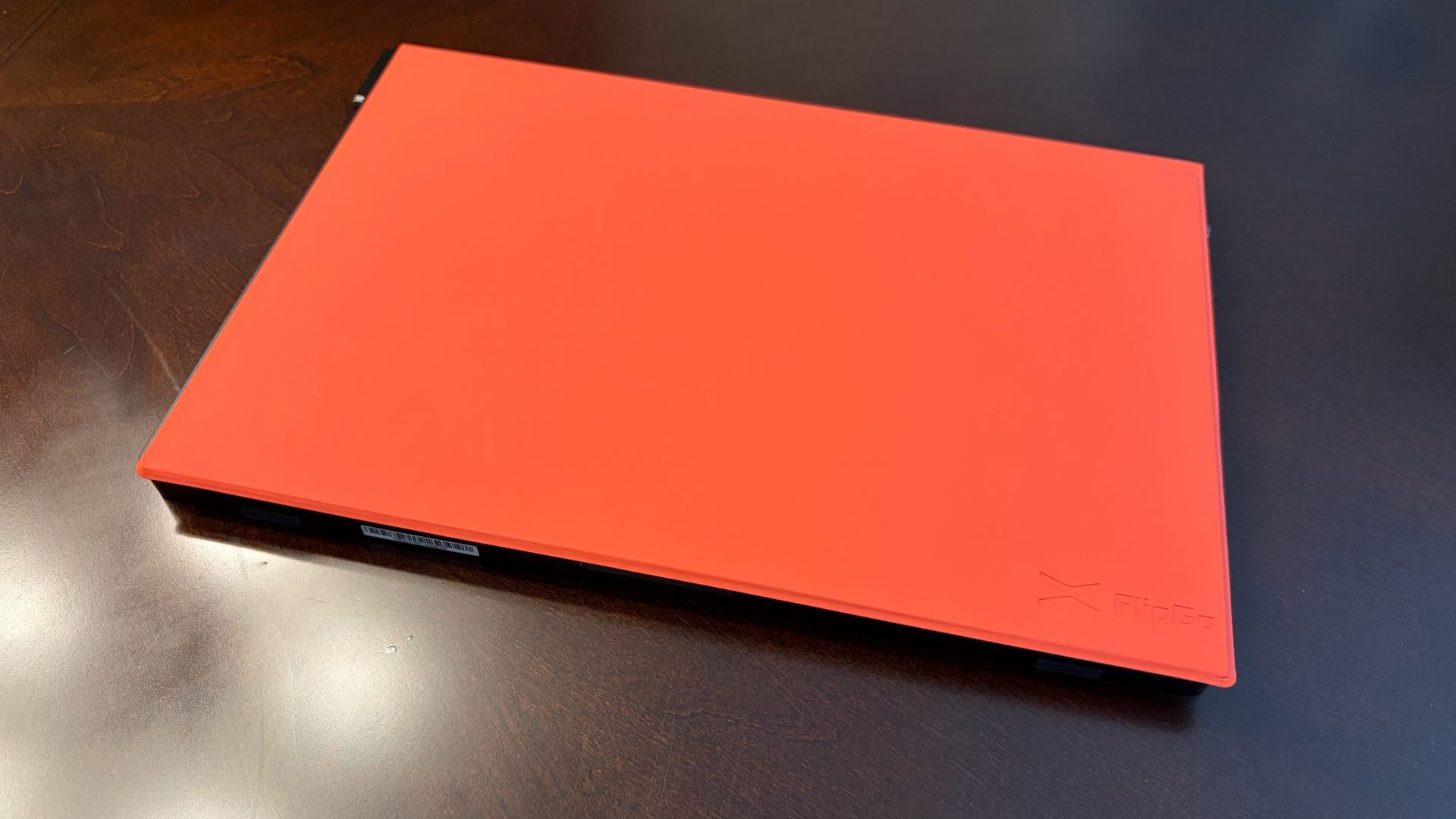
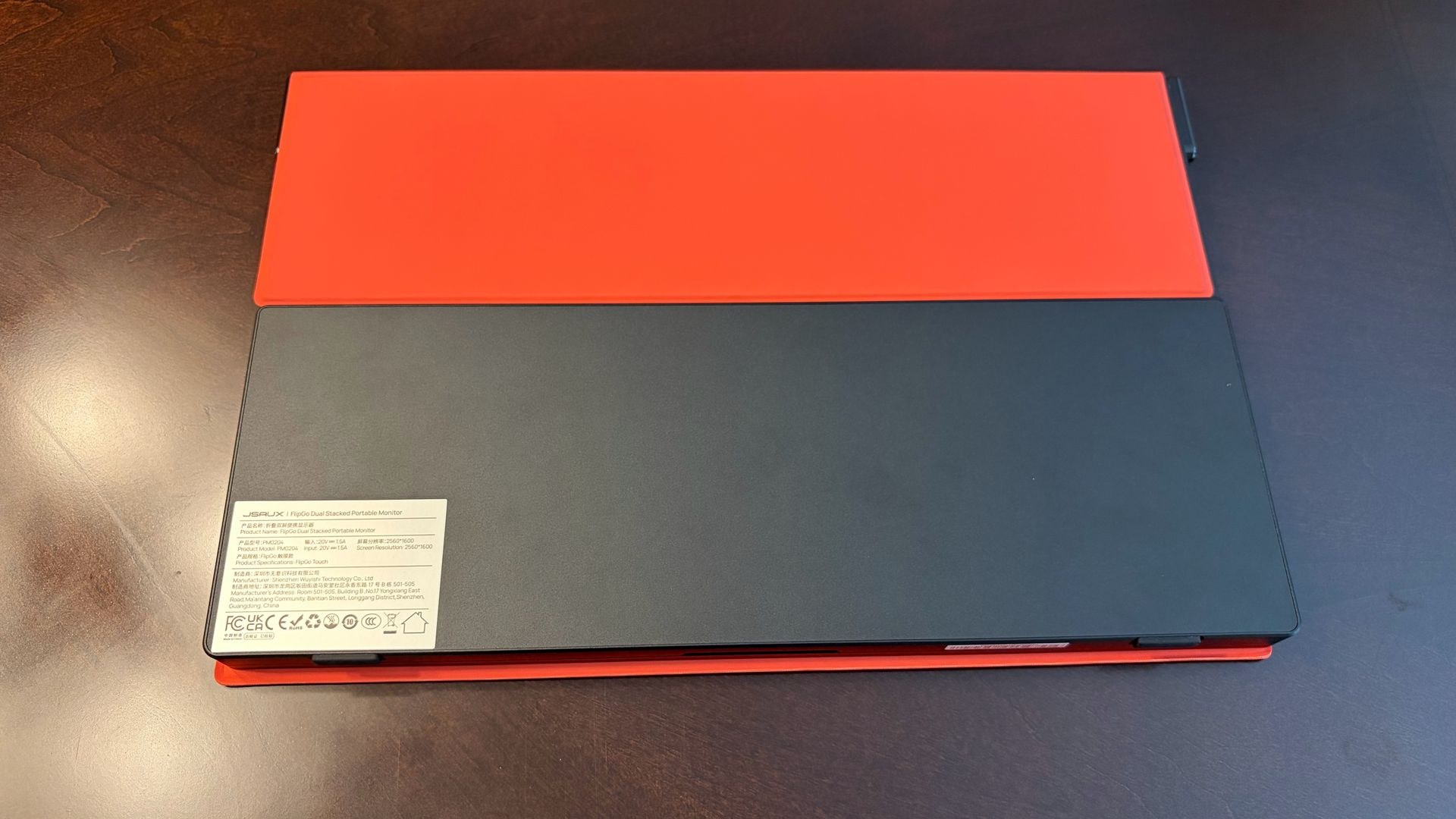
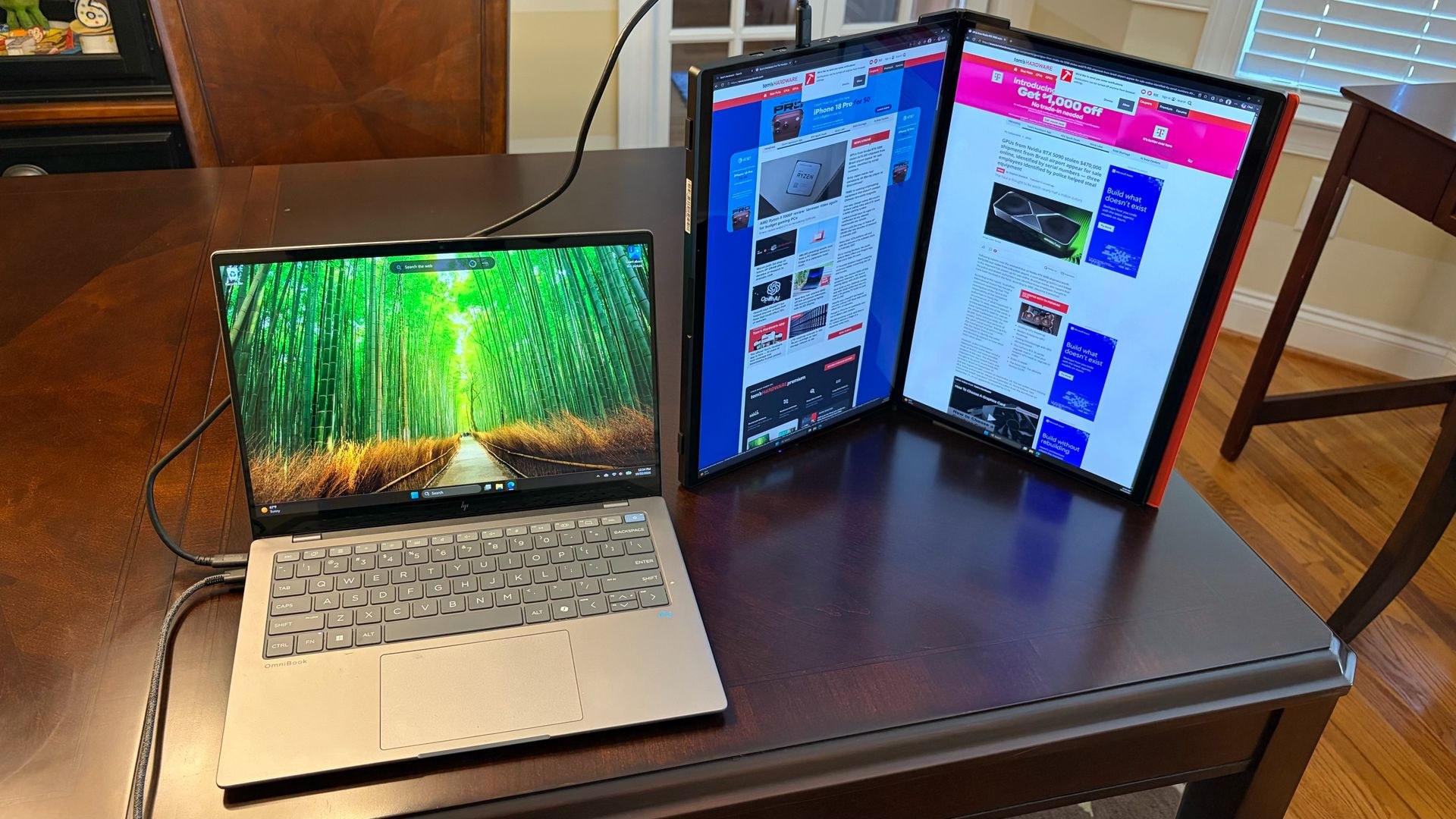
JSAUX sells a separate stand enabling landscape or portrait orientation, but the review unit arrived only with a red faux leather protective cover. Without the stand, the monitor could operate with the bottom panel flat on a desk and the top panel vertical, or in portrait mode with both panels standing upright.
OSD on the JSAUX FlipGo (PM0204)
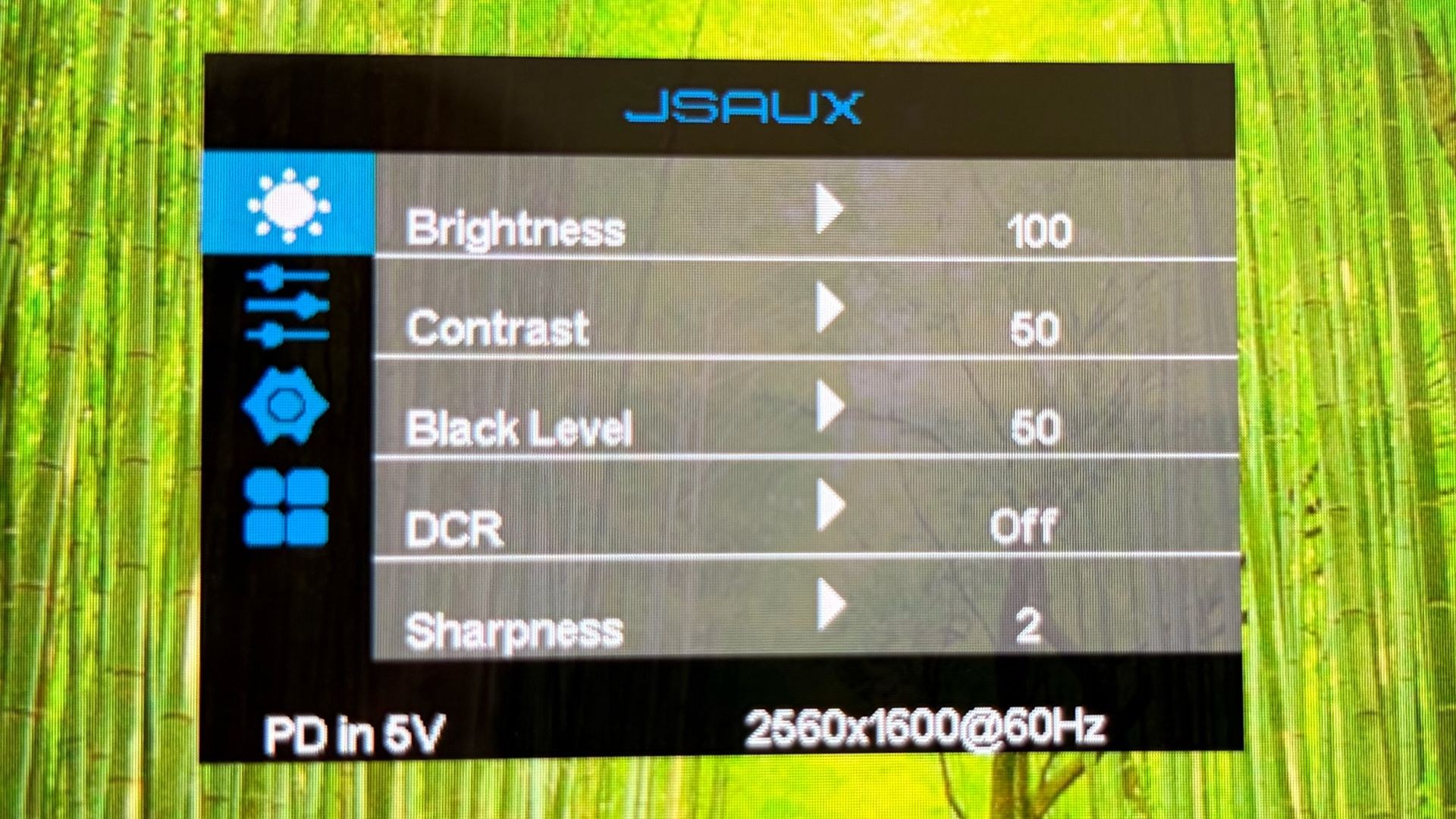
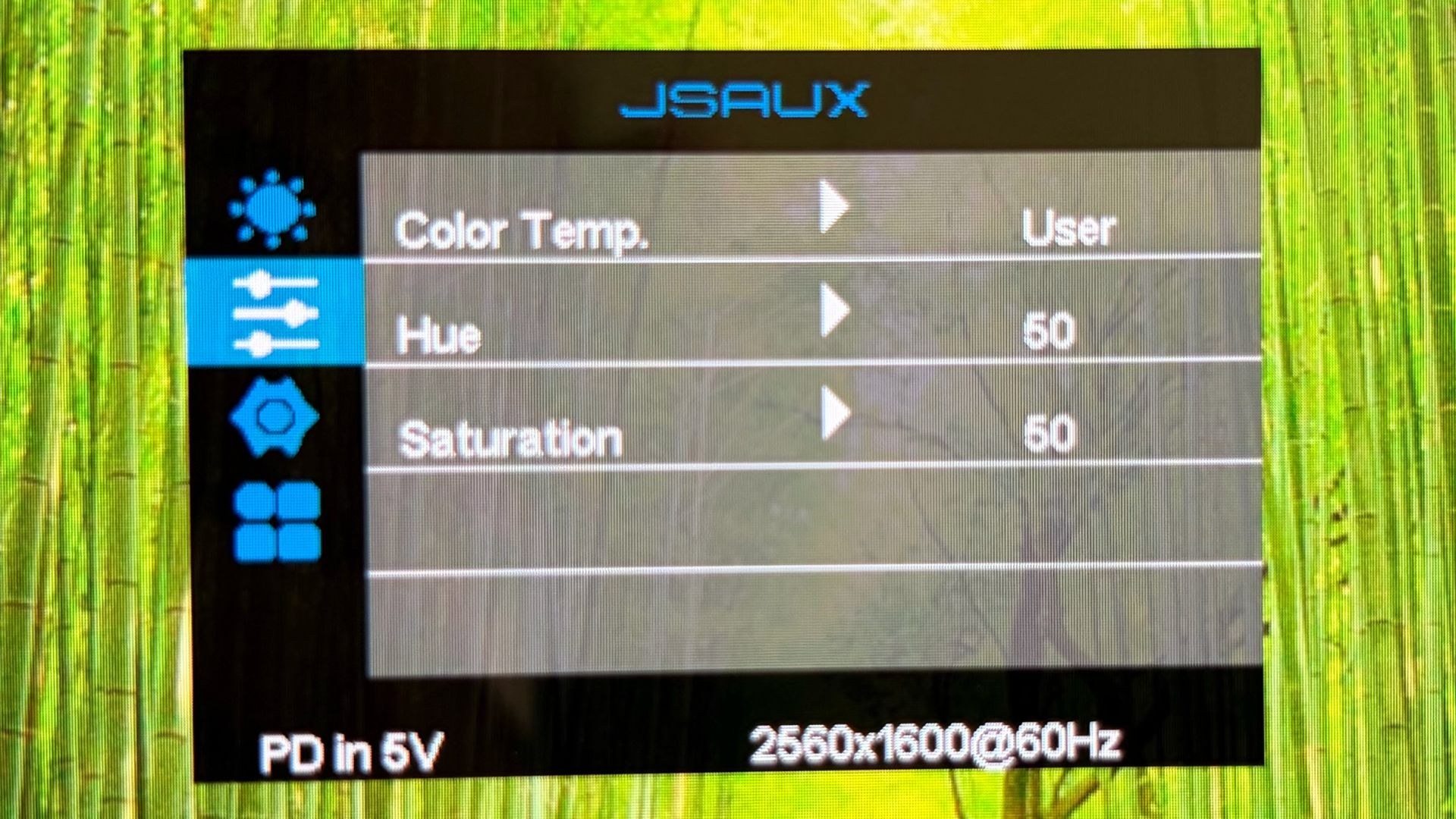
The on-screen display is relatively straightforward, controlled via the three-way jog wheel. Both displays lack independent picture settings; adjustments to one automatically apply to both. Flicking the wheel left or right adjusts brightness, while up and down navigation moves through menu options. Pressing the wheel selects items, mirroring the interface design of the FlipGo Horizon Pro. A single power button press returns one menu level, while a long press powers down the monitor.
Standard adjustment options populate the OSD: brightness, contrast, and sharpness controls. A separate menu handles color temperature, saturation, and hue. Input switching between HDMI and USB-C is also available.
Connecting and Operating the JSAUX FlipGo (PM0204)
The box includes two USB-C cables, a mini-HDMI to HDMI cable, and a USB-C wall adapter. macOS users face limitations: no touch support and mirror-mode-only operation requiring both USB-C and mini-HDMI connections. Windows 11 supports both mirror and extend modes. Testing used a Windows 11 laptop (HP OmniBook X) to avoid these constraints.
Setup proved straightforward. While mini-HDMI ports accommodate older laptops, USB-C with DisplayPort support offers a simpler path. The OmniBook X connected via a single USB-C cable handling power, video, and data simultaneously. The FlipGo supports 60-watt power passthrough to the laptop through a second USB-C port.
During testing, portrait mode proved most practical with a single cable connection. Two webpages could sit side-by-side next to the laptop's internal display. Landscape mode was possible but required the bottom panel to rest flat on the desk without a stand. Touch input worked seamlessly on both panels without additional software installation, and overall operation was flawless.
Display Performance on the JSAUX FlipGo (PM0204)
Each 16-inch IPS panel delivers 2560 x 1600 resolution at 60 Hz. JSAUX claims 500 nits maximum brightness, though testing revealed more modest numbers.
In portrait mode, the large panels with enhanced resolution compared to 1080p alternatives excelled at displaying two webpages side-by-side. Pairing a webpage with Microsoft Word or Excel proved equally effective, with the extra vertical resolution reducing scrolling demands in spreadsheets.
Against the FlipGo Horizon Pro reviewed previously, the standard FlipGo's panels proved substantially superior—more colorful, more vibrant, and significantly brighter at 319 nits versus 247.4 nits. The 319-nit measurement fell well short of JSAUX's 500-nit claim.
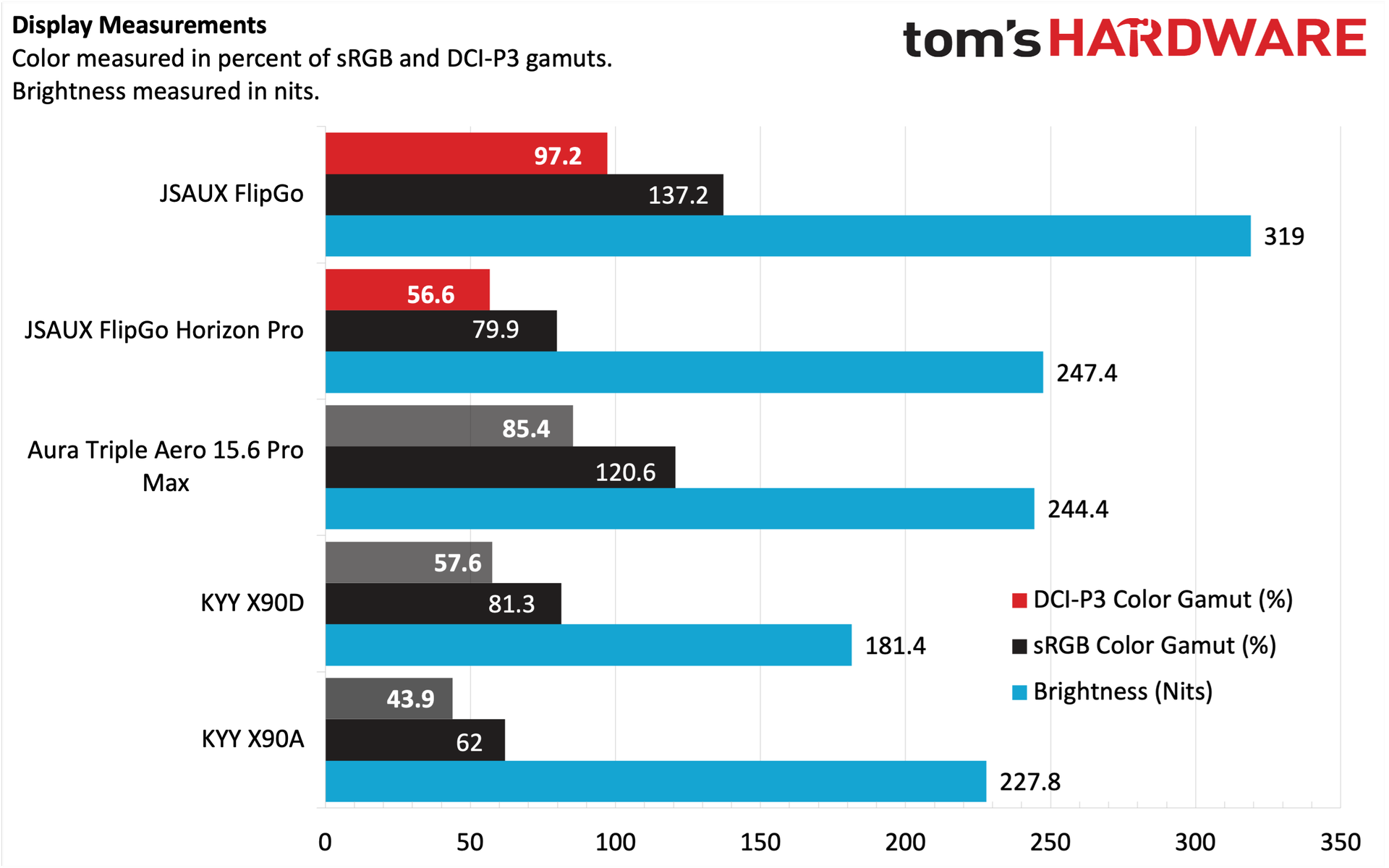
Color coverage reached 97.2 percent of DCI-P3 and 137.2 percent of sRGB, outpacing competitors like the Aura Triple Aero 15.6 Pro Max at 85.4 percent and 120.6 percent respectively. The high-quality panels matched the color balance of the OmniBook X's glossy display well, avoiding the jarring mismatch often encountered when comparing portable monitors to their laptop counterparts.
Bottom Line
The JSAUX FlipGo stands out as impressive hardware for productivity-focused users. The high-quality aluminum build, rigid hinges, and abundant video input options make a strong first impression. The integrated USB hub adds practical expansion with USB-A and USB-C ports for peripherals.
Color performance and brightness metrics justify the $479 street price. One initial concern—the review unit lacked a stand—has been resolved, as production units from Amazon now include this component. The more persistent issue is unavoidable: at 4.18 pounds, the weight exceeds what most travelers will comfortably carry. For desk-bound expansion without the footprint of a traditional desktop monitor, however, the FlipGo proves an excellent companion.