Acer Swift Air 14 puts connectivity first at $699, but sacrifices elsewhere
The aluminum Swift Air 14 delivers dual Thunderbolt 4 ports and exceptional battery life, yet stumbles on display brightness and ships with substantial bloatware.
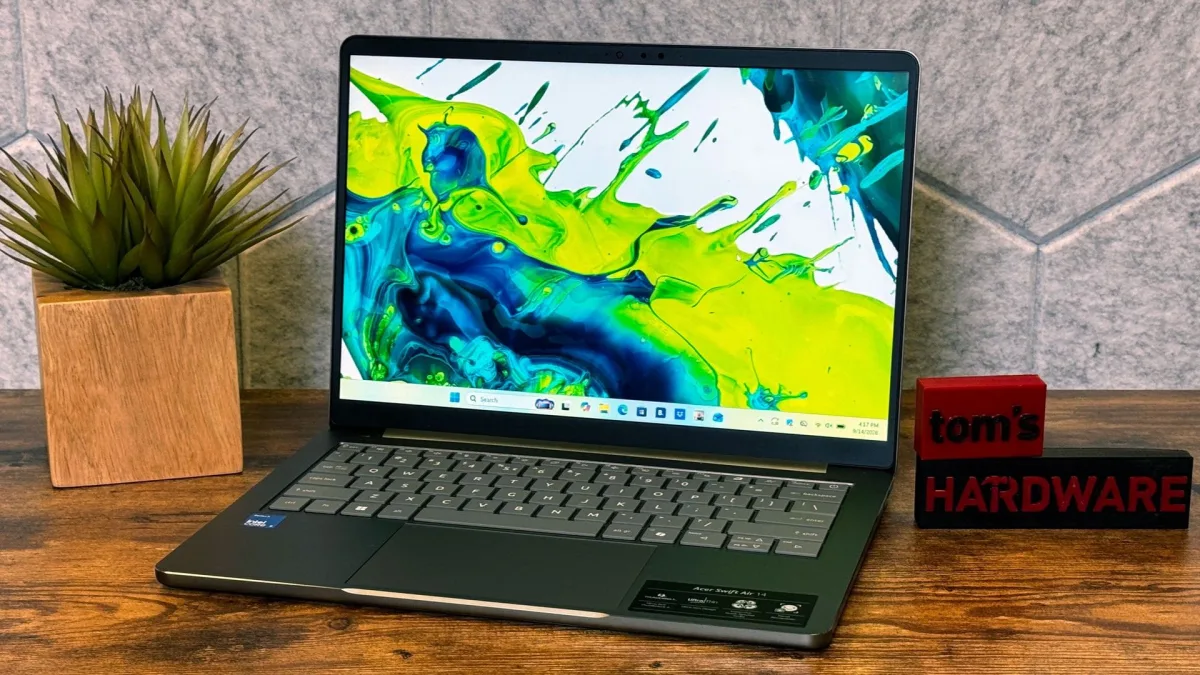
Acer's strategy for the Swift Air 14 centers on what many budget laptops overlook: abundant ports and endurance. At $699, this 14-inch system packs dual Thunderbolt 4 connections and achieved more than 16 hours of battery life in testing. Yet the company made tradeoffs elsewhere—a dimmer screen, flexing chassis, and a bloated software load—that may not suit everyone's priorities.
Design and Build
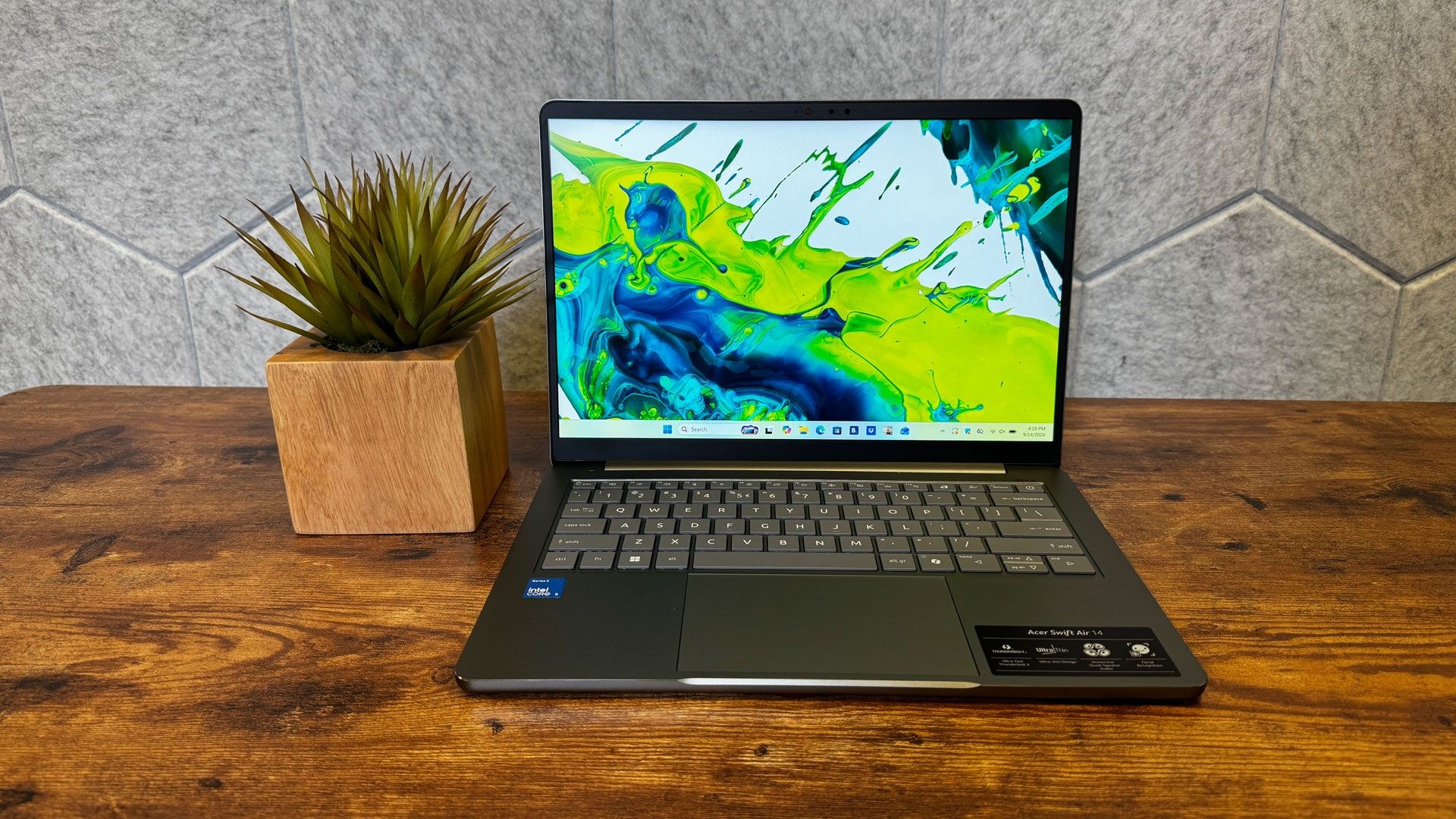
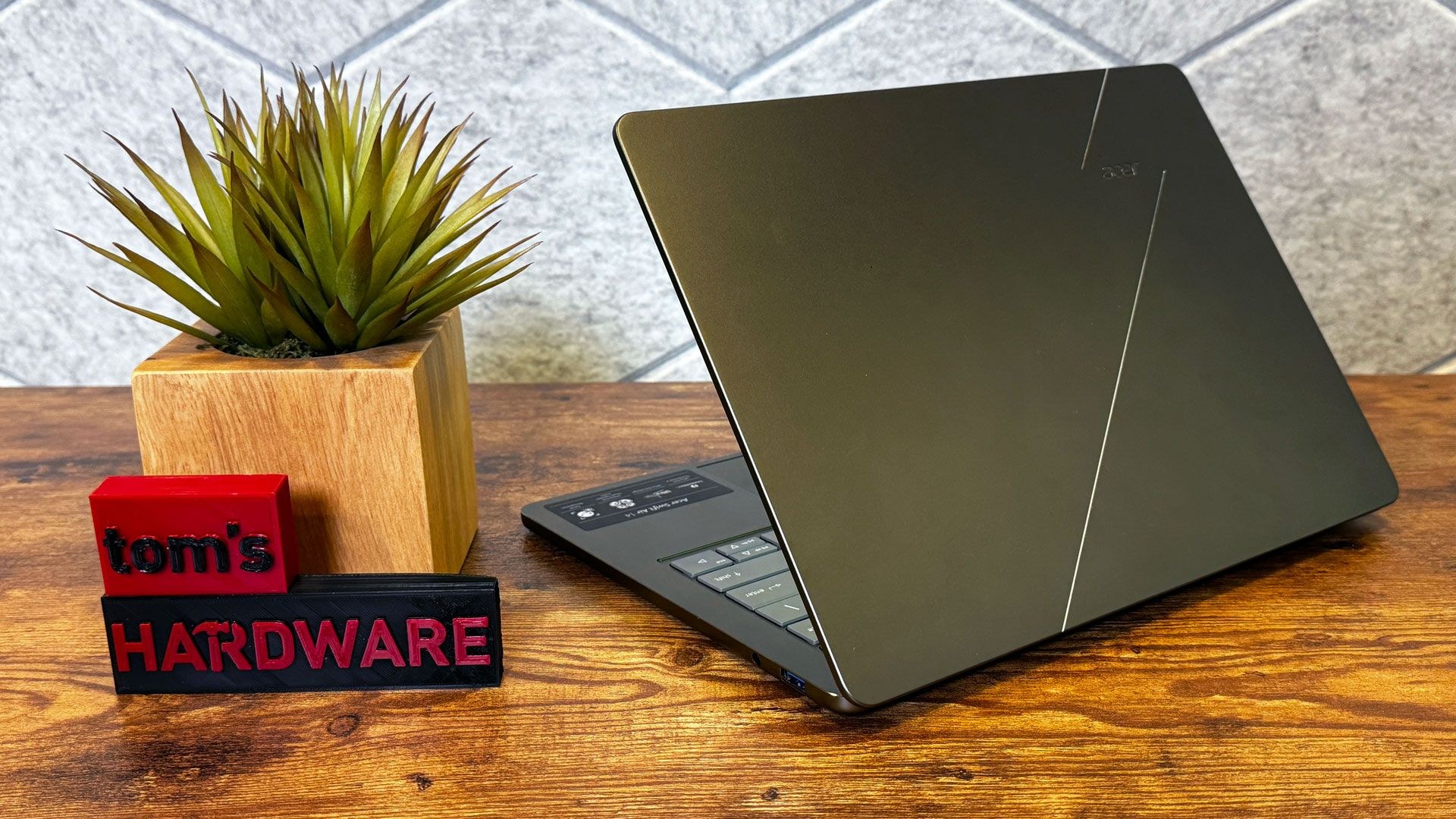
For a sub-$700 machine, the all-aluminum Swift Air 14 feels more refined than expected from Acer. The lid and keyboard deck show some flex, and the bezels are thicker than ideal, but the overall impression is respectable rather than cheap. The sage green finish available in the U.S. shifts between olive and silver tones depending on the light. Internationally, Acer offers frost blue, blossom pink, and lilac purple variants.
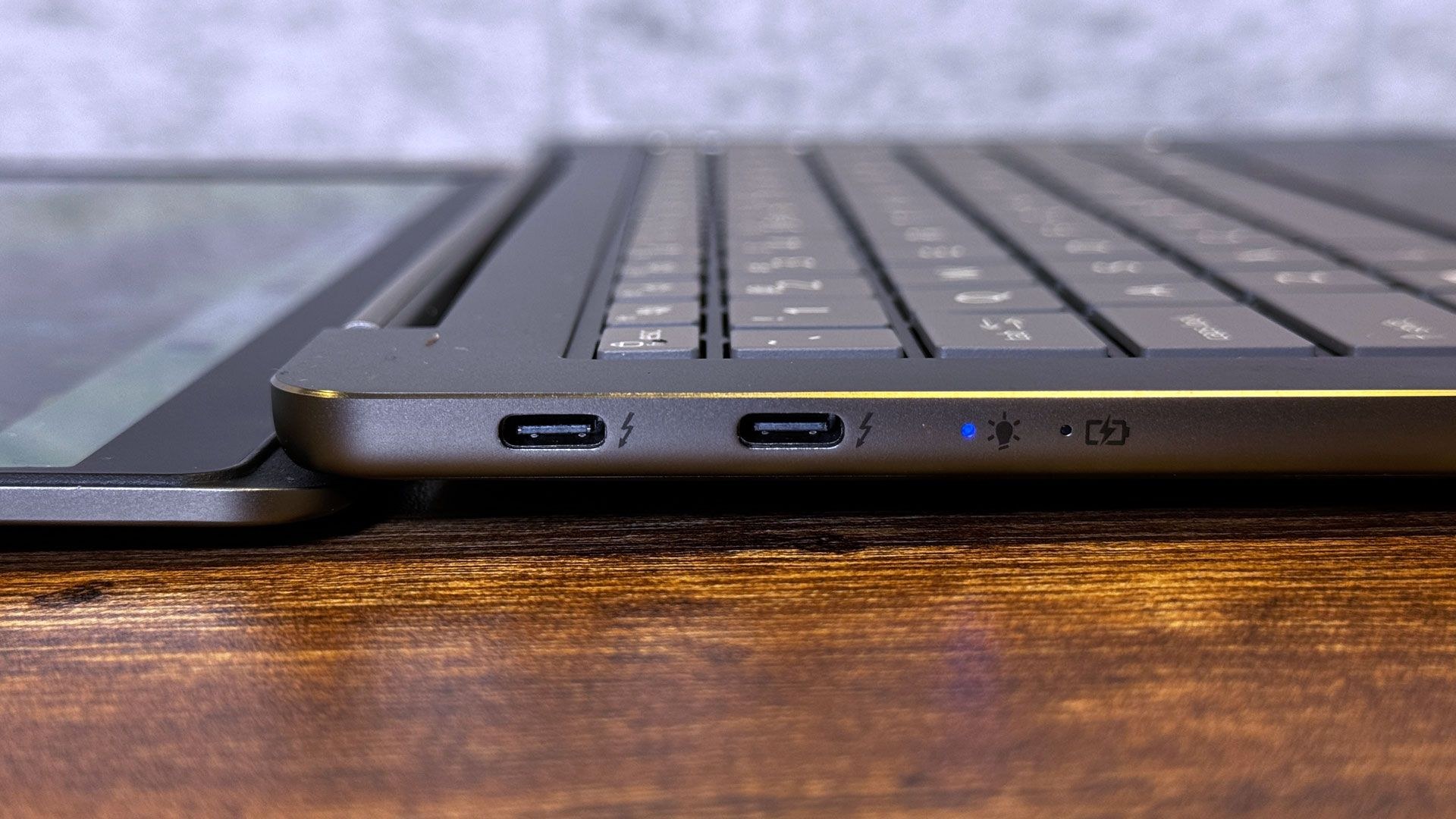
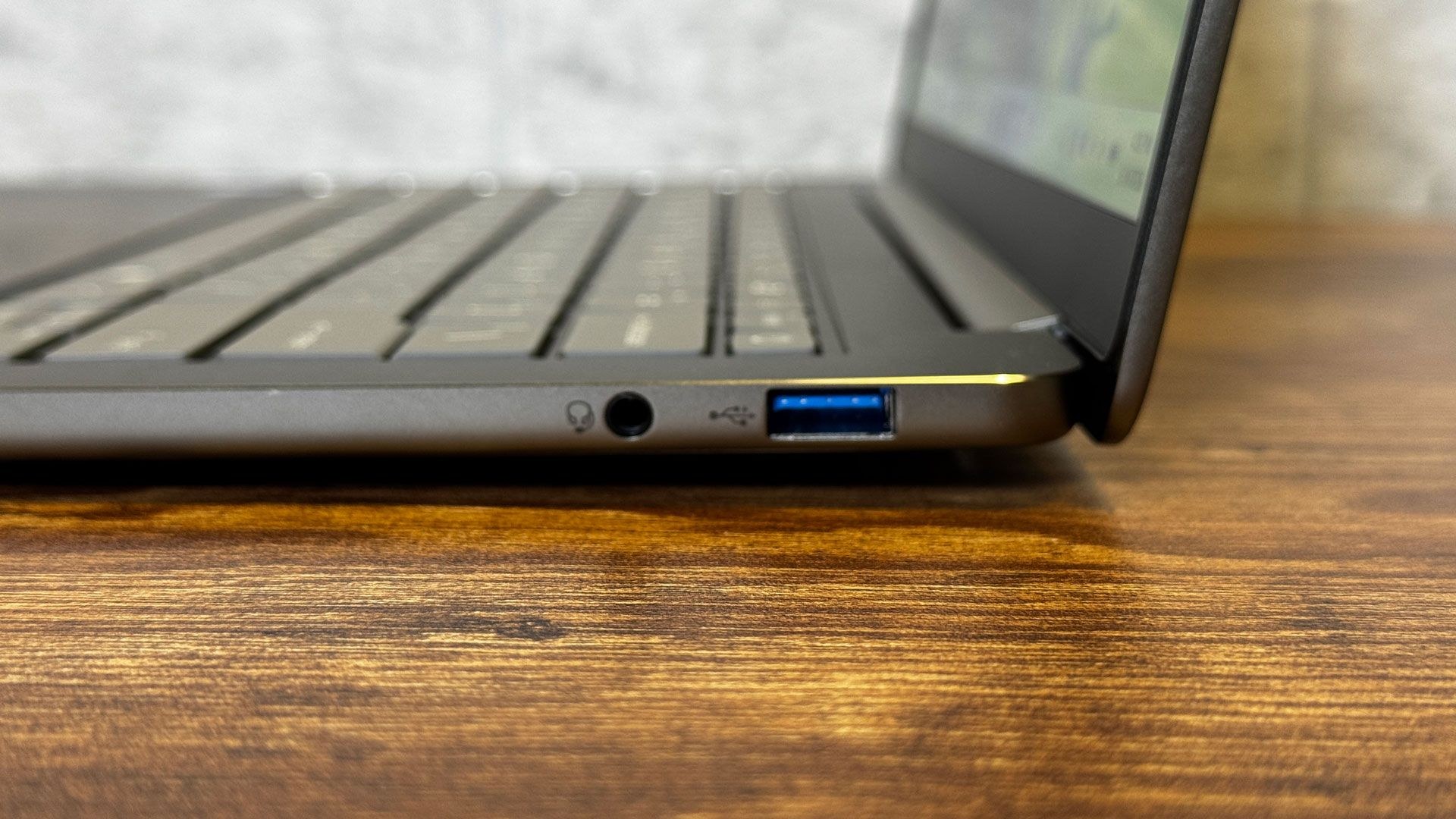
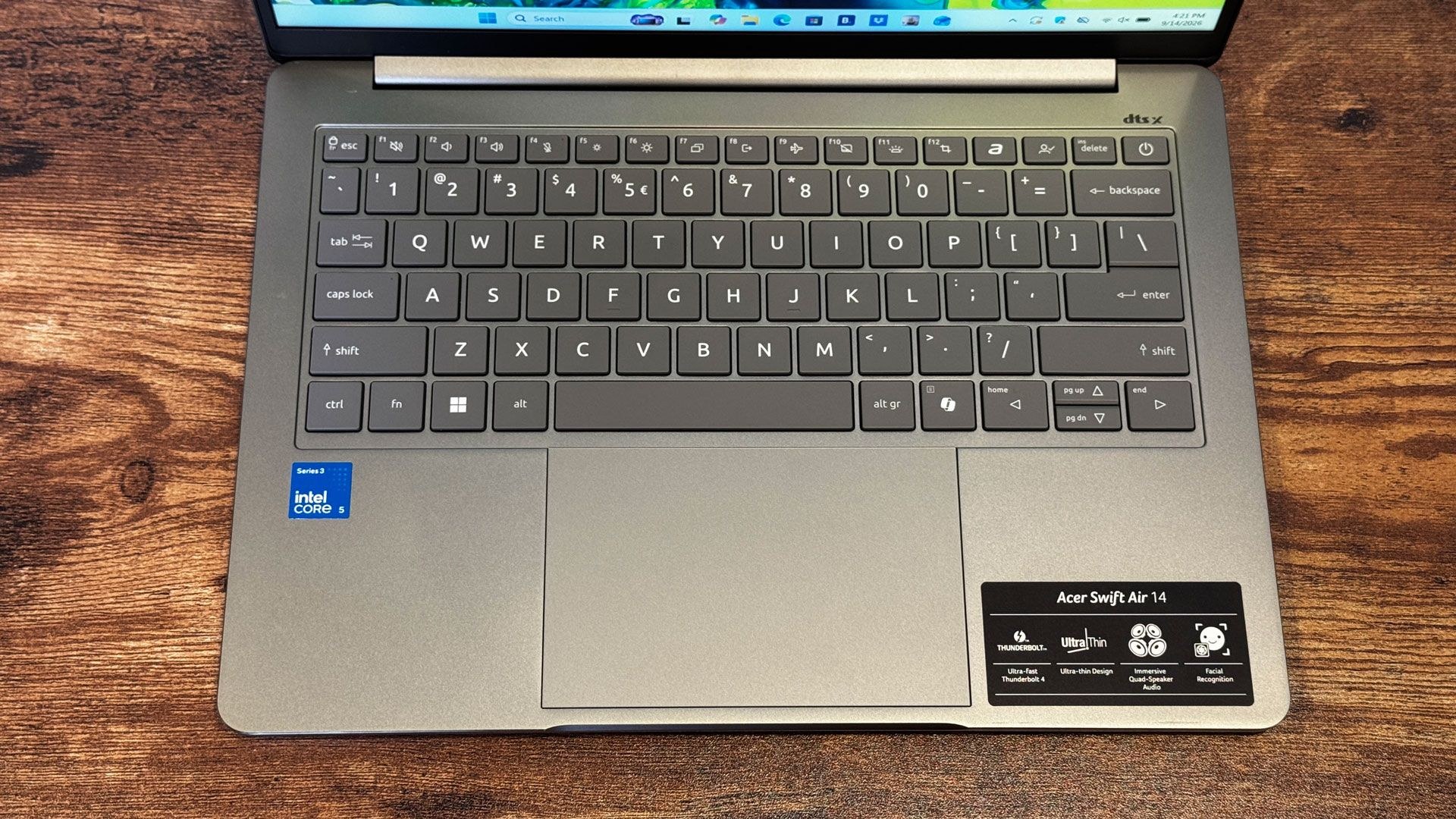
The port selection is where Acer differentiates itself. The left edge houses two full Thunderbolt 4 ports over USB-C—a rarity in this price bracket. The right side adds a 10Gbps USB Type-A port and a 3.5 mm headphone jack. This setup outpaces both the MacBook Neo and Dell XPS 13 in both quantity and speed, benefiting users with legacy peripherals or those juggling multiple connections.
At 2.62 pounds, the Swift Air 14 sits between the XPS 13 (2.2 pounds) and MacBook Neo (2.7 pounds). Thickness measures 0.51 inches at its slimmest, matching competitors, though a small foot underneath raises it to 0.71 inches.
Performance
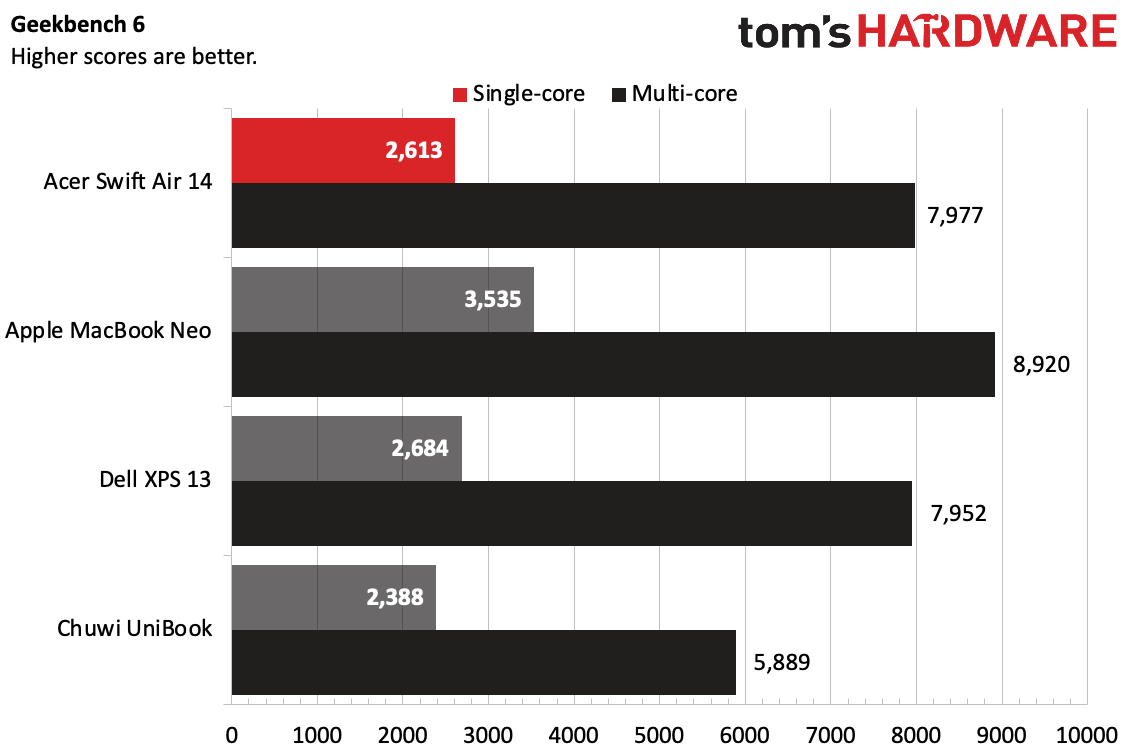
The Intel Core 5 320 processor paired with 8GB of RAM and 512GB of PCIe Gen 3 storage delivers competent but unremarkable performance. Geekbench 6 yielded single-core and multi-core scores of 2,613 and 7,977 respectively, matching the XPS 13 which uses the same chip. The MacBook Neo's A18 Pro pulled ahead, while the Chuwi UniBook with a Core 3 304 lagged.
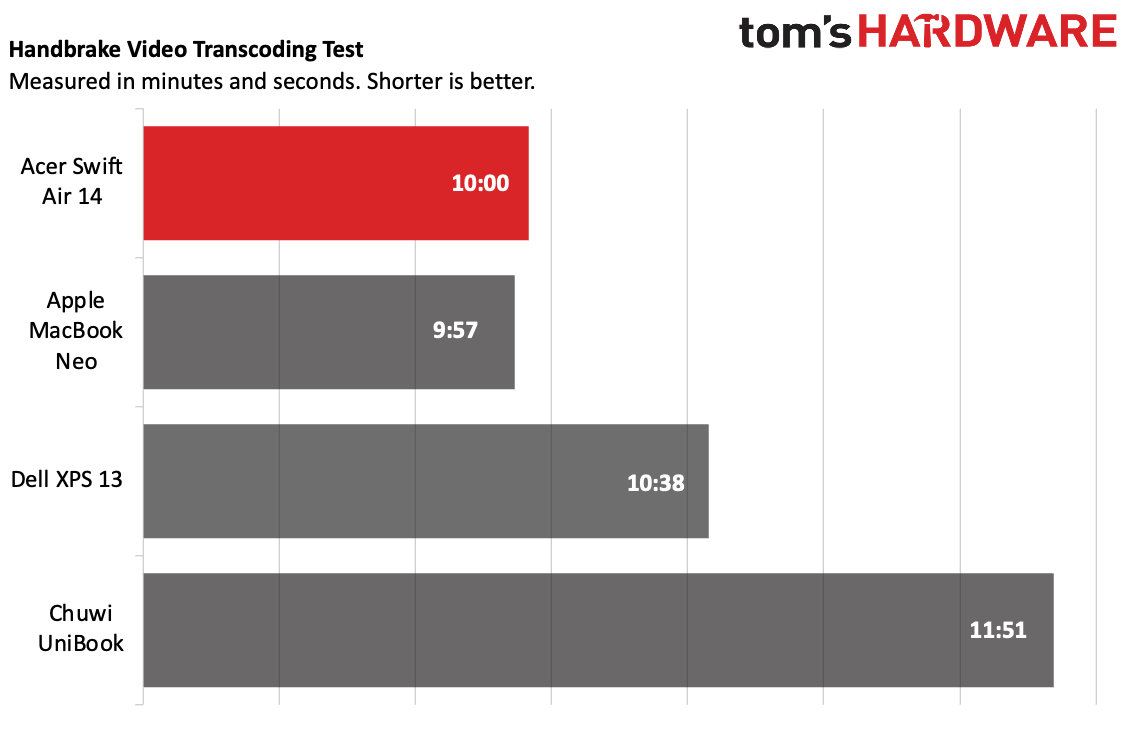
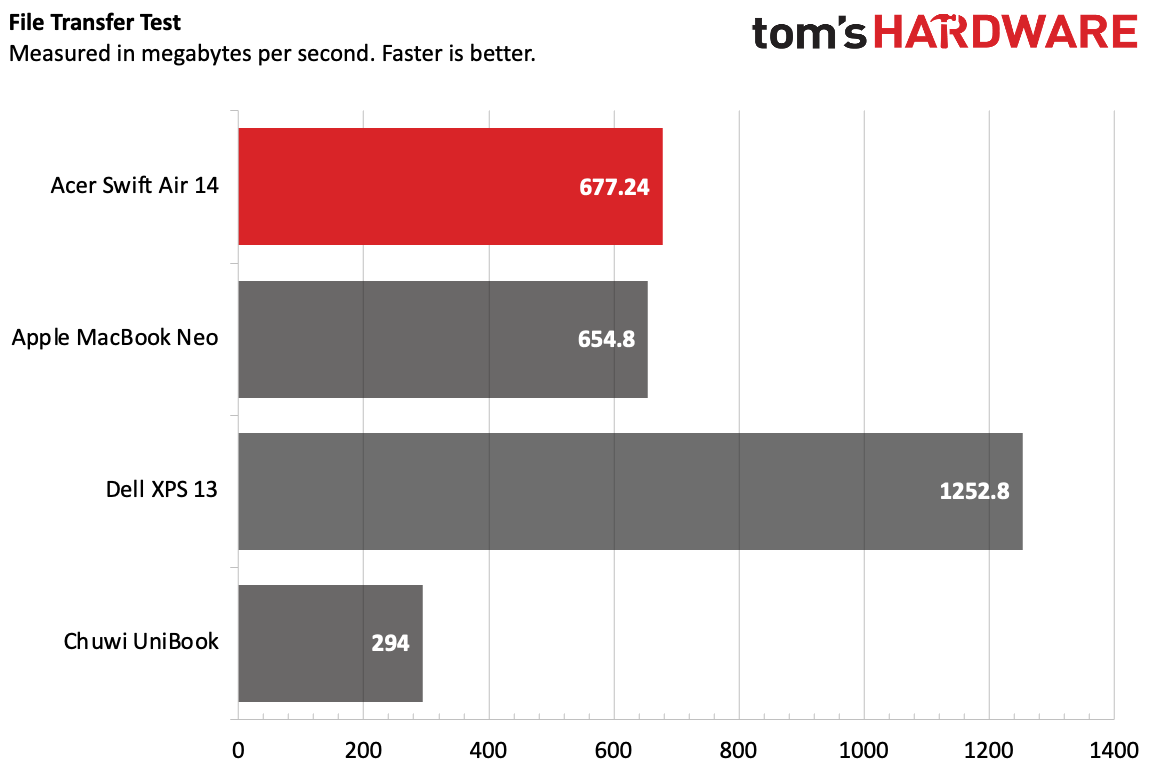
In video transcoding via Handbrake, converting 4K to 1080p took 10 minutes—just 3 seconds behind the MacBook Neo and 38 seconds faster than the XPS 13. File transfer speeds reached 677.24 MBps, slightly outpacing the Neo but trailing the XPS 13 significantly. The system could not run Cinebench 2026, a limitation shared with other Wildcat Lake-based laptops.
Display
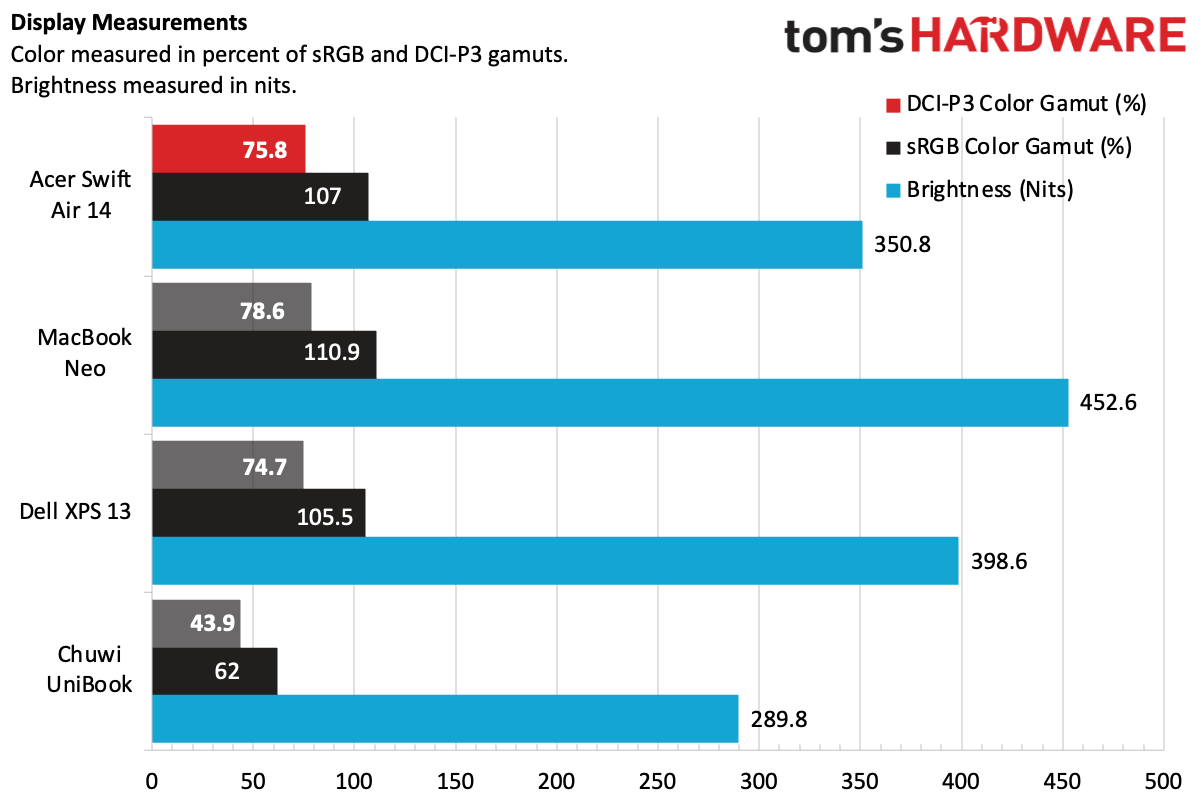
The 14-inch 1920 x 1200 IPS panel covers 107% of sRGB and 75.8% of DCI-P3, placing it in line with the Neo and XPS 13. However, brightness is the weak point. During viewing of Avengers: Endgame, the maximum brightness proved insufficient for well-lit scenes, and darker sequences suffered from overwhelming shadows. The MacBook Neo and XPS 13 both offer brighter panels; the XPS 13 additionally provides higher resolution at 2560 x 1600.
Keyboard, Touchpad, and Input
The keyboard exhibits flex while typing and features slippery keycaps that feel inexpensive, despite offering more travel than typical for this class. Testing on monkeytype.com produced 108 words per minute at 98% accuracy. The glass touchpad is smooth and responsive to Windows gestures, though its shallow click mechanism causes minor chassis flex, particularly at the edges.
The 1920 x 1080 webcam produces noisy, sometimes blurry images and struggles with bright windows. An infrared camera supports Windows Hello facial recognition, and a privacy shutter is built into the bezel.
Battery Life
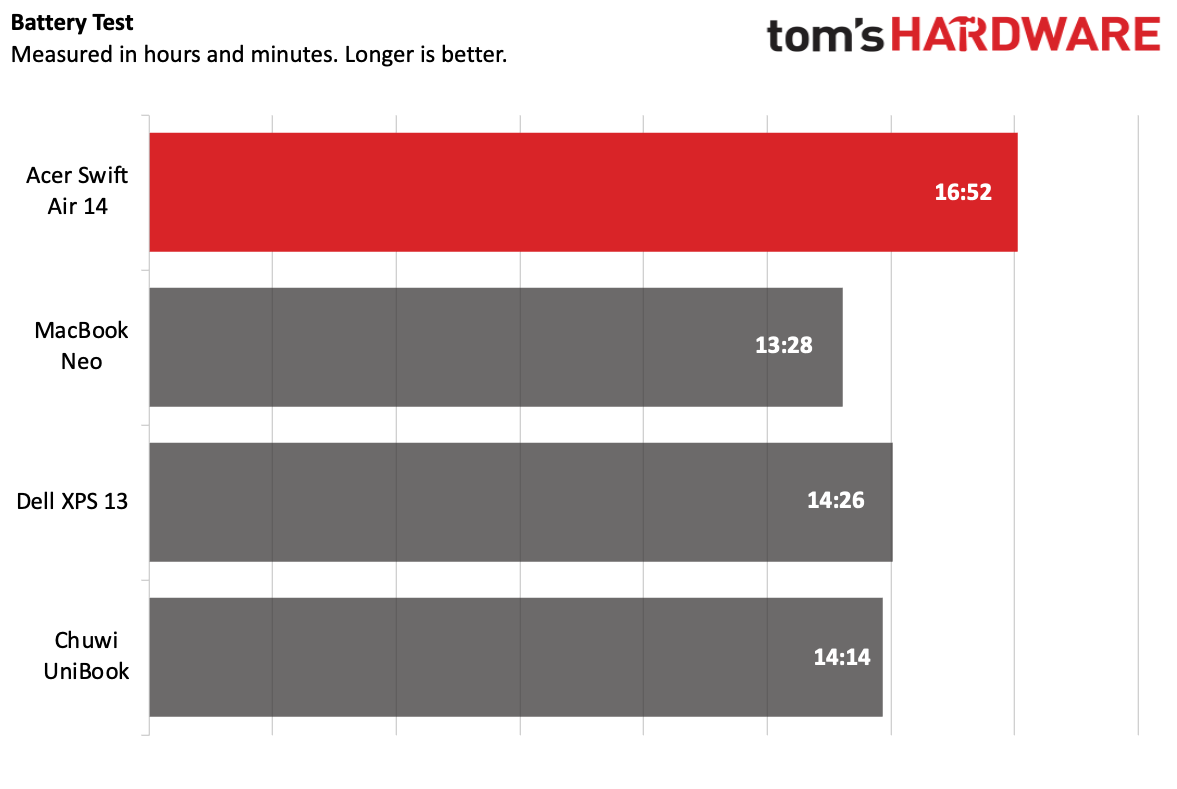
Battery endurance is a genuine strength. The Swift Air 14 lasted 16 hours and 52 minutes on the outlet's battery test, which includes web browsing, video streaming, and light OpenGL work at 150 nits brightness. This exceeded the Dell XPS 13 (14 hours 26 minutes) and MacBook Neo (13 hours 28 minutes) by a substantial margin.
Audio
The quad-speaker system delivers adequate sound for the price but lacks depth and volume. The DTS:X Ultra app provides a music mode, voice mode, and custom EQ with three preset slots for tuning. While adjustments can improve the balance between vocals and treble, the speakers remain competent rather than impressive.
Thermal Performance and Upgradeability
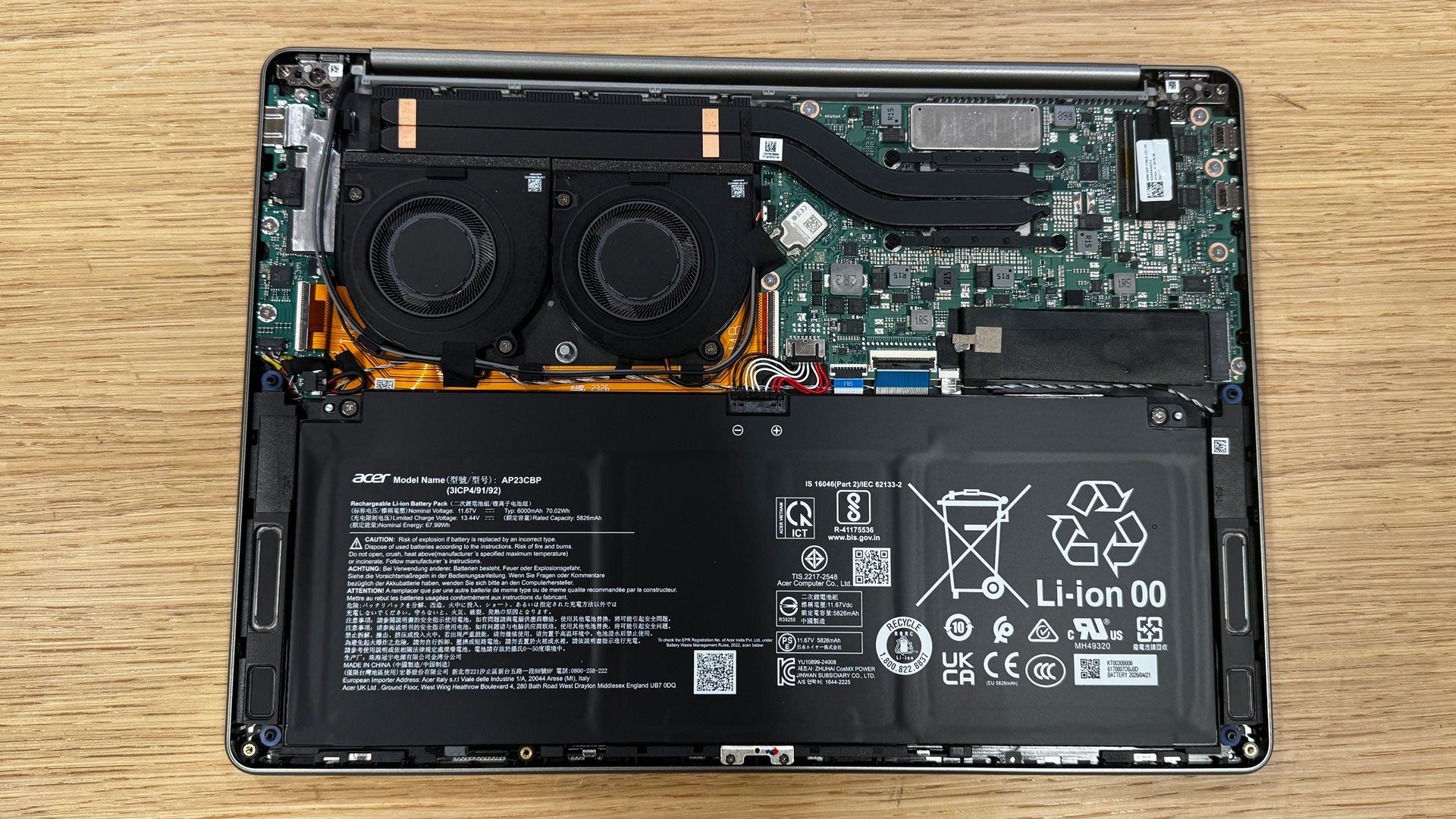
During Handbrake encoding, the keyboard reached 96 degrees Fahrenheit, the touchpad 84.1 degrees, and the bottom panel's hottest point 96.9 degrees. The CPU internally measured 74.8 degrees Celsius. These figures suggest adequate thermal management, though the inability to run more demanding benchmarks limits conclusions.
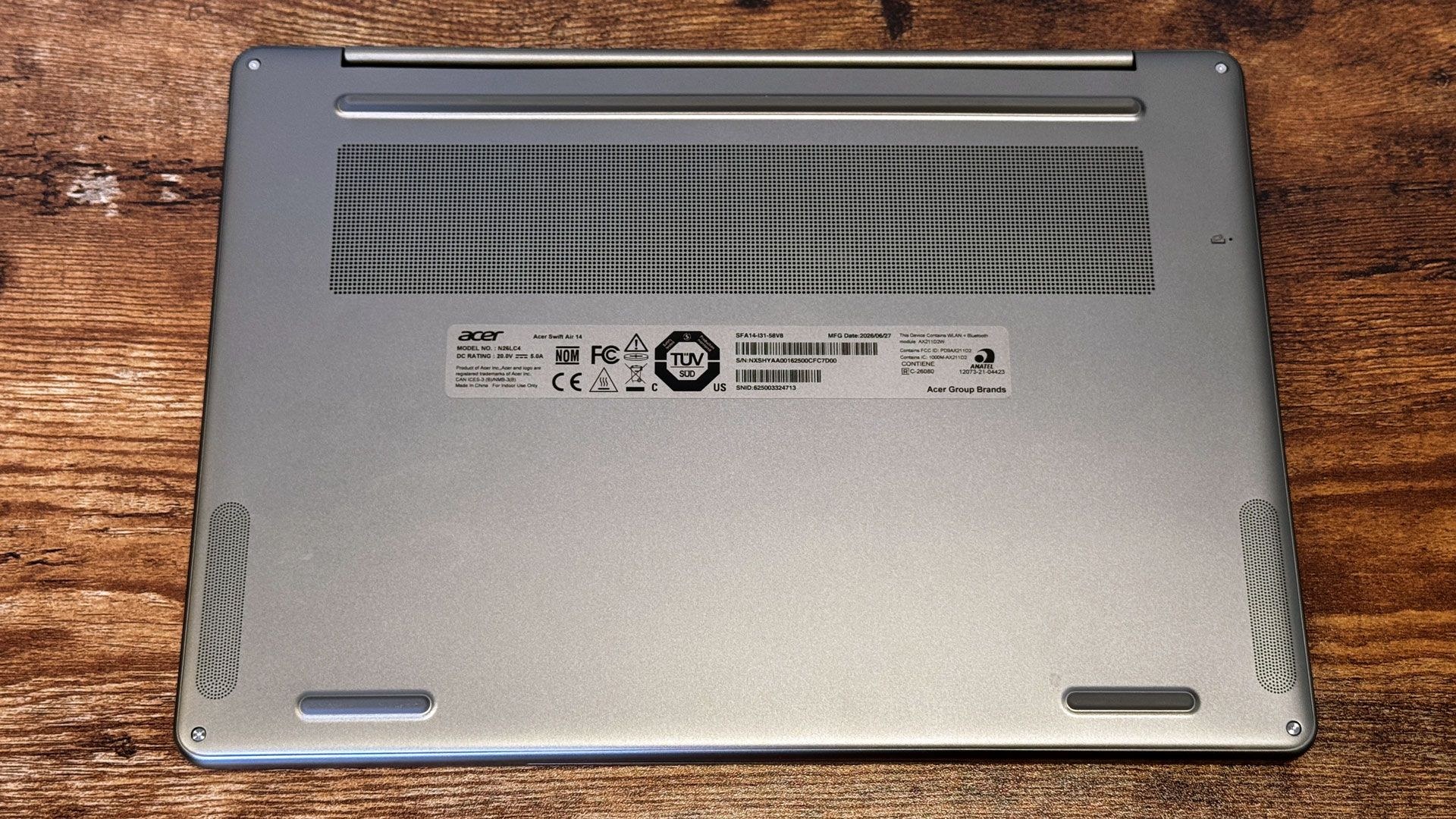
The bottom panel is secured by four Torx screws but features thin metal and plastic clips that require careful prying to access. Users can upgrade the SSD and replace the battery, though only one SSD slot is available.
Software and Warranty
Acer bundles more than ten of its own utilities, anchored by AcerSense, which offers performance statistics, settings, warranty details, and links to additional programs. PurifiedVoice and PurifiedView handle noise cancellation and camera enhancement during calls. A built-in video speed controller and QR code reader round out the proprietary suite, though the latter frequently failed to detect codes.
The bloatware load is substantial for a $700 machine. Forge of Empires, Solitaire, Amazing Block Blast, Google Play Games beta, Dropbox, Booking.com, NordVPN, and an alternative app store called App Explorer appear in the Start Menu, taskbar, and Edge bookmarks. The Swift Air 14 includes a one-year warranty.
Configurations and Availability
The tested unit carries a $699.99 price tag with an Intel Core 5 320, 8GB memory, 512GB storage, and sage green finish, available at Best Buy in the United States. Acer plans three additional configurations exclusive to Best Buy Canada at $999.99 CAD, with specifications and color options yet to be confirmed.
Verdict
The Swift Air 14 is the right choice for buyers whose primary need is port abundance and battery longevity. Dual Thunderbolt 4 connections, USB Type-A, and a headphone jack provide flexibility, and 16+ hours of runtime is genuinely impressive. However, those prioritizing other attributes should consider alternatives. The MacBook Neo offers superior performance and build quality with a brighter display. The Dell XPS 13 provides the highest resolution screen with touchscreen capability and a stiffer chassis.
If connectivity and endurance are your top two priorities and you're prepared to tolerate a dimmer display, flex in the chassis, and a substantial software cleanup, the Swift Air 14 merits consideration among current budget laptop options.